
Social Share And Locker Pro Plugin 7.8


- Secure Payment
- Support from Monday to Friday
- With you since 2018
$7.99 El precio original era: $7.99.$5.99El precio actual es: $5.99.
Quick summary
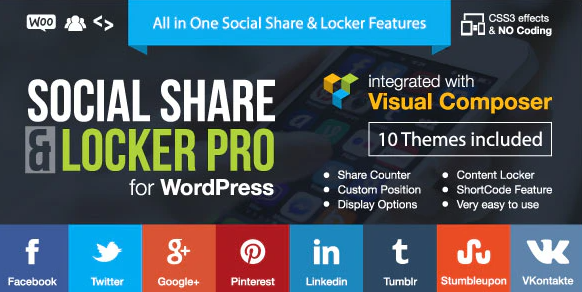
Social Share and Locker Pro is a WordPress plugin designed to boost content sharing through social sharing buttons and locked sections that remain accessible until user interaction. Its primary goal for a physical store is to increase organic reach, enhance product visibility, and improve the performance of content marketing campaigns.
Overview
Social Share and Locker Pro integrates seamlessly into your WordPress workflow of posts, products, and pages, making it easy for visitors to share content on social media. Instead of relying solely on direct or search traffic, it adds a social layer that helps articles, product listings, and landing pages circulate among like-minded communities.
In real-world projects, it's used to support content strategies, collection launches, promotions, and landing pages. The combination of visible social media buttons and sections locked until the user shares content is commonly used to boost virality, encourage social interaction, and generate more qualified leads without adding excessive friction to the navigation process.
What is Social Share And Locker Pro used for?
Social Share And Locker Pro is designed to solve a very common problem: the content works, but it isn't shared enough. An online store or digital project may have well-crafted guides, comparisons, and product descriptions, but without a clear social strategy, its reach falls short and organic growth slows.
In e-commerce, sharing options help users recommend products to friends or create wish lists. On membership sites, sections locked before sharing are used to release small snippets of value, such as a downloadable resource or bonus content. On corporate websites and landing pages, this type of solution boosts the visibility of case studies, branding campaigns, events, and registration forms, generating a more stable and measurable chain of social traffic.
Who is it ideal for?
- Online stores that work with product catalogs, detailed product descriptions and supporting content (blogs, comparisons, buying guides) and seek to increase traffic from social networks without relying solely on paid advertising.
- Content marketing projects, digital magazines, specialized blogs or online academies where each new article, open lesson or downloadable resource is part of an audience acquisition strategy.
- Marketing, design, and performance teams that manage campaigns, design landing pages, and measure conversions need to integrate social elements consistently with the layout and navigation flow.
Key benefits
- It allows for more efficient management of the site's social presence by centralizing the configuration of buttons and locked sections, avoiding repetitive manual configurations on each page or product.
- It enhances the visitor experience by making sharing options visible and accessible, integrated into the content design without disrupting the reading flow or overloading the interface.
- It provides flexibility in the placement and style of social elements, so they adapt to different templates, page structures, and design approaches without limiting creativity.
- It is especially useful for large stores or catalogs where you want to maintain consistent behavior of social buttons across hundreds of listings, avoiding inconsistencies between sections.
- Reduce errors and save time by automating the inclusion of social and locked areas in specific content types, instead of manually replicating codes or widgets in each new post.
Main features of Social Share And Locker Pro
- Integration of social media sharing buttons within posts, pages, WooCommerce products, or other common types of content in the WordPress ecosystem.
- Blocking specific parts of the content that are shown to the user once they perform a social action, encouraging direct interaction with the article or page.
- Centralized management of the behavior, location, and style of social elements, making it easier to maintain a consistent presentation flow across different sections of the site.
- Configuring which sections are locked, what type of content they apply to, how the buttons are displayed, and what text accompanies the action; in practice, this helps define a clear workflow between writing, design, and marketing without relying on manual page-by-page adjustments.
Use cases
- Content managers who want every new blog post or product guide to automatically include well-placed social buttons, without having to insert code or review each template.
- Launch campaigns for collections, courses, events or digital products where the objective is to multiply the reach by leveraging users themselves as a recommendation channel on social networks.
- Solving a common problem in WordPress: high-value content that receives visits but generates little social interaction; the strategic inclusion of social blocking elements helps transform a passive reader into an active content promoter.
Frequently Asked Questions about Social Share And Locker Pro
What does Social Share And Locker Pro offer compared to basic social buttons?
Social Share and Locker Pro goes beyond simply displaying social media icons. It focuses on integrating sharing into your content strategy. The option to lock specific snippets allows you to transform high-value sections into levers that encourage user engagement and help spread the word about your page.
Is it suitable for stores with many products and categories?
In large-scale projects, a system that manages when and how social media elements are displayed from a single location is especially useful. This ensures consistent behavior across product pages and categories, simplifying daily management and reinforcing brand image.
Can it be used on blogs, online academies, or corporate websites?
Social Share And Locker Pro fits into various types of sites: blogs with long articles, academies that release public and private content, and corporate websites that publish news or case studies. In all these contexts, it helps key pieces of content achieve greater social reach.
How does this affect the balance between user experience and marketing?
When configured judiciously, content blocking and social media buttons become natural elements of the interface. The key is to select sections that are truly relevant to the user, avoiding interruptions to the main reading experience and using extra content as an incentive for social interaction.
Can it help improve a brand's visibility on social media?
By making it easier and encouraging visitors to share specific pages, Social Share And Locker Pro helps products, articles, or campaigns appear more frequently on personal profiles and in specialized groups. This strengthens brand presence and complements other digital communication efforts.
How does it fit into a long-term content strategy?
Integrating this type of solution from the outset allows you to define which content will be used as social media drivers. In practice, guides, product launches, downloadable resources, or success stories are selected and accompanied by well-placed social media elements, creating a constant flow of visits from social networks.
Conclusion
Social Share and Locker Pro integrates seamlessly into a WordPress project's content strategy, helping to convert website visits into measurable social reach. By consistently combining share buttons and locked sections, it enhances the visibility of products, articles, and campaigns, and facilitates more organized management of the site's social media presence.
Latest update:

Written by: WPClub
With over seven years of experience curating, managing, and distributing GPL products, our content is based on hands-on experience, technical review, testing, and feedback from thousands of users. We aim to democratize and simplify the WordPress world so you can choose with confidence, speed, and ease.
Your Individual Purchase Includes:
- Lifetime updates.*
- Official product, ready to use.
- Immediate access to the product.
- Clean and virus-free files.
- GNU GPL V2/V3 License
- Technical support in Spanish and English.
* In the case of memberships, the period during which you will receive updates will depend on the type of membership purchased: monthly, annual, or lifetime.
Notify Update
We update products Monday through Friday. However, if the product you see is not yet updated, you can notify us so we can prioritize updating it whenever possible.
Get your questions answered here
Here you'll find answers to frequently asked questions about our service: how it works, what it includes, and how to get the most out of it.
On how many websites can I use the products?
You can use any product from our store on any website you want.
Will I get updates?
Absolutely. If you buy an individual product, you'll get lifetime updates for that product.
On the other hand, if you purchase a membership, you will receive updates until your membership expires.
What if I have a problem?
First of all, we want you to know that you can count on us. We will assist you and provide the necessary support, so you can rest assured.
On the other hand, it is important for you to know that, given the time difference between countries, your time and ours may not be the same, so we will be delayed accordingly.
Our opening hours start at 9 AM from Monday to Friday, UTC -3. We are open until around 6 PM.
Do they provide technical support?
Yes, and regarding the time, it is usually on average within 24 to 48 business hours.
However, there are times when we have already provided an answer and solution in less than a day, depending on the case.
Are there download limits?
No. We don't believe in that format, so you can download as many times as you want. No problem. We pay for high-quality professional storage precisely to avoid problems.
Do they provide license keys?
No. Giving out the keys is not a viable option, as we have had experiences where they end up circulating everywhere and we can even lose the associated accounts.
That said, all products are original and, in cases where a license key is required to function, we will take care of pre-activating them for you.
Does my purchase include an invoice?
Yes. After payment, you will be able to access your invoice immediately in the "Purchases" section of your user account.
That is why it is important that you properly complete the information requested at the time of payment.
Is there a warranty?
Yes, of course. If there's a problem we can't resolve, or if there's an external issue that doesn't have a general solution, you'll receive support and, if necessary, a full refund. We have a 14-day refund policy from the date of purchase.
- It should be noted that there is no warranty if the product works well and it simply wasn't what you wanted.
There have been instances where someone buys a product, the product works perfectly, but they don't like it and want a refund, keeping the product. That's not right.
However, everything is evaluable and reasonable. Let's use judgment together.
What are the opening hours?
Our opening hours are:
- Monday to Friday, from 9 a.m. to 6 p.m.
- Saturday and Sunday: No service.
UTC -3 time

Our Reputation on Trustpilot
Many thanks to those who take the time to give us a rating on Trustpilot. Each and every one of your comments is very helpful to us. We strive to provide a rewarding experience for every member of our community, always with respect and care. We'll be here!






















WPClub Memberships
Access our entire catalog for a single payment. We offer three memberships: Monthly, Annual, and Lifetime (One-Time Payment).
- Save thousands of dollars
- Unlimited daily downloads
- No recurring payments
- Fast downloads by AWS
- Quality service and support, validated since 2018
- We work with love for our community