
Spectra Pro 1.2.11


- Secure Payment
- Support from Monday to Friday
- With you since 2018
$49.00 El precio original era: $49.00.$5.99El precio actual es: $5.99.
Quick summary
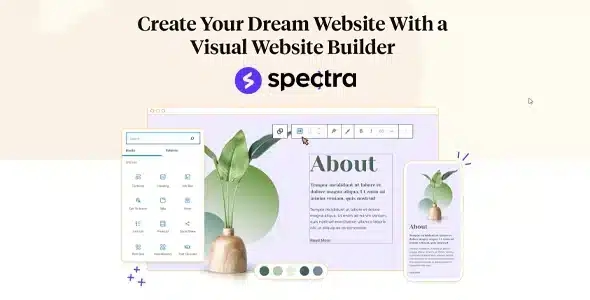
Spectra Pro is an advanced extension designed for WordPress block designers who find the basic options insufficient. It helps create more professional structures, richer visual interactions, and better-organized content without always relying on heavyweight page builders. It's especially useful for agencies, freelancers, and website owners who need to go beyond the classic editor without complicating daily maintenance.
What problem does it help solve?
When working with the block editor in WordPress, there comes a point where the standard blocks are no longer sufficient. The pages look fine, but they don't convey a professional image; key elements for lead generation are missing; there's no fine-grained control over the design; and customization options are very limited. This is especially noticeable when you try to replicate modern designs you see on other websites and can't find a way to achieve them using only the default WordPress blocks.
When you start noticing that even the smallest design changes require code, more plugins, or makeshift solutions, your work becomes slow and fragile. Every landing page, services page, or product page ends up being a different patch, difficult to maintain and scale. If you've ever had to redo an entire section just because one block wasn't big enough, you're already experiencing the problem that Spectra Pro is designed to solve.
Why this solution makes a difference
Spectra Pro expands what you can do with the block editor in a structured way without forcing you to change how you work in WordPress. Instead of scattering functionality across several isolated plugins, it bundles advanced design elements, layout controls, and styling options into a single, cohesive environment. In real-world projects, this translates to less time spent searching for workarounds, less trial and error, and more focus on content and conversion.
On the other hand, with more versatile blocks, you can define reusable patterns for key sections: headers, trust blocks, calls to action, comparisons, or service listings. This reduces improvisation and helps maintain visual consistency throughout the site. In day-to-day operations, the impact is noticeable in that routine layout tasks cease to be a bottleneck, and the final result is closer to the design you envisioned from the start.
Signs you need this product
- You already have a WordPress site and you find yourself limited by the block editor's design options on key pages such as homepage, services, or lead generation landing pages.
- You notice friction when working in WordPress because to achieve a specific design you end up mixing several different block plugins without a clear logic.
- You start wasting time maintaining similar sections on different pages, as there is no convenient way to replicate them with the same visual quality.
- Your project is growing, you need to better present your services, products or content, and the current website aesthetic gives an unprofessional impression compared to your competition.
When does it make sense to use it (and when doesn't)
Spectra Pro makes sense when the block editor is central to your workflow and you need to take it to a higher level of design and structure without switching systems. It delivers real value when creating landing pages, sales pages, portfolios, or trust sections where every visual detail impacts contact rates, resource downloads, or quote requests. It's also a good fit when you want to reduce the number of layout plugins scattered across your site.
On the other hand, it's unnecessary if you manage a very simple blog where you only publish articles with text and images without requiring a special design. It also doesn't make sense if your site is already entirely based on another visual page builder and you don't plan to return to the block editor. In that context, the added value of Spectra Pro would be minimal because your workflow is already anchored in another design system.
Who it fits best for
- Freelance professionals who design corporate websites, service pages, and landing pages within the block editor and need more visual control without going into advanced development.
- Digital agencies that manage multiple WordPress projects and are looking for a unified way to build reusable, consistent, and easy-to-edit sections for the end client.
- Business owners who manage their own content and want to be able to adjust blocks, sections, and calls to action without constantly relying on third parties.
Practical benefits
- Real operational improvement: you reduce the number of improvised combinations of blocks, you get more organized pages that are easier to review even months later.
- User experience: the layout work becomes a more visual and intuitive process, with elements prepared to better showcase benefits, guarantees or testimonials.
- Control and organization: you can structure key sections of the website coherently, avoiding disparity of styles between different pages of the same project.
- Time saving: routine modifications, such as changing a call-to-action block or adjusting a services section, are done in minutes without redesigning from scratch.
- Error reduction: By relying on a coherent set of advanced blocks, design breaks caused by unstable combinations between different plugins are reduced.
How it fits within WordPress
Within WordPress, Spectra Pro acts as a direct enhancement to the block editor, without forcing a completely different workflow. Instead of replacing your usual page editing methods, it expands layout and styling possibilities within the familiar environment. This allows both designers and content managers to work from the same foundation, eliminating the separation between "what is designed" and "what can be maintained" over time.
In this context, Spectra Pro becomes a central component when defining templates for service pages, reusable section structures, and visual elements that support conversion. It doesn't replace the theme or the rest of the ecosystem, but rather sits at the midpoint between design and content, ensuring the final result reflects the project's visual identity without sacrificing ease of editing within the WordPress dashboard.
Typical use cases
- Creation of sales and lead generation pages for professional service projects, where you need to highlight benefits, testimonials, guarantees and a clear call to action without resorting to another web designer.
- Development of corporate websites for clients who want to be able to edit texts, images and entire sections without breaking the design, relying on advanced pre-configured blocks.
- Design of specific layouts for campaigns, launches or events, where each section of the page must be aligned with a specific conversion or registration goal.
Frequently Asked Questions about Spectra Pro
How does Spectra Pro differ from working only with native WordPress blocks?
Spectra Pro expands the standard editor with design and layout options that go beyond the basic blocks. When working solely with WordPress's built-in features, you often encounter limitations when trying to create complex or visually striking sections. Spectra Pro adds elements geared towards sales pages, services sections, and trust blocks, resulting in a more professional-looking design without constantly resorting to code.
If I already use another visual page builder, does it make sense to add Spectra Pro?
Spectra Pro is designed for projects that rely on the block editor as their foundation. If your site runs entirely on another page builder and you don't plan to change your workflow, its contribution will be limited. However, if you're migrating to the block editor or decide to reserve it for specific sections, Spectra Pro helps ensure those pages don't look out of place and maintain a consistent design quality with the rest of the project.
How does Spectra Pro help maintain visual consistency across different pages?
Visual consistency is achieved by using the same set of well-designed elements for the key sections of your website. Spectra Pro provides blocks that allow you to repeat design patterns for headers, explanatory blocks, columns, trust sections, and calls to action. This way, instead of improvising each page from scratch, you reuse configurations that you already know work, reducing style differences between pages and preventing your site from looking patchwork.
Is Spectra Pro useful if I manage multiple WordPress sites at the same time?
When you manage multiple projects, the time you spend on layout multiplies. Spectra Pro lets you define structures and workflows that can be replicated across different sites using the block editor. If you've ever found yourself repeating the same services, testimonials, or comparison sections in several projects and ending up starting from scratch each time, centralizing that type of design in a set of advanced blocks reduces effort and improves consistency across clients.
What types of projects benefit least from Spectra Pro?
Simpler projects, such as personal blogs with very basic designs or websites that only publish content in a nearly identical format, make little use of Spectra Pro's extra capabilities. If you don't intend to work on landing pages, service pages, or conversion-oriented sections, the advanced features will likely go unused. In those cases, the standard WordPress editor is usually sufficient for day-to-day needs.
Conclusion
Spectra Pro exists to bridge the gap between the basic block editor and the real design demands of projects that need to convey professionalism and convert visitors into leads or clients. When work gets bogged down by a lack of visual options or inconsistent designs, having a robust set of advanced blocks makes all the difference. If your workflow currently relies on the block editor and you're looking for more layout capabilities without complicating your workflow, this product fits seamlessly into your daily WordPress experience.
Latest update:

Written by: WPClub
With over seven years of experience curating, managing, and distributing GPL products, our content is based on hands-on experience, technical review, testing, and feedback from thousands of users. We aim to democratize and simplify the WordPress world so you can choose with confidence, speed, and ease.
Your Individual Purchase Includes:
- Lifetime updates.*
- Official product, ready to use.
- Immediate access to the product.
- Clean and virus-free files.
- GNU GPL V2/V3 License
- Technical support in Spanish and English.
* In the case of memberships, the period during which you will receive updates will depend on the type of membership purchased: monthly, annual, or lifetime.
Notify Update
We update products Monday through Friday. However, if the product you see is not yet updated, you can notify us so we can prioritize updating it whenever possible.
Get your questions answered here
Here you'll find answers to frequently asked questions about our service: how it works, what it includes, and how to get the most out of it.
On how many websites can I use the products?
You can use any product from our store on any website you want.
Will I get updates?
Absolutely. If you buy an individual product, you'll get lifetime updates for that product.
On the other hand, if you purchase a membership, you will receive updates until your membership expires.
What if I have a problem?
First of all, we want you to know that you can count on us. We will assist you and provide the necessary support, so you can rest assured.
On the other hand, it is important for you to know that, given the time difference between countries, your time and ours may not be the same, so we will be delayed accordingly.
Our opening hours start at 9 AM from Monday to Friday, UTC -3. We are open until around 6 PM.
Do they provide technical support?
Yes, and regarding the time, it is usually on average within 24 to 48 business hours.
However, there are times when we have already provided an answer and solution in less than a day, depending on the case.
Are there download limits?
No. We don't believe in that format, so you can download as many times as you want. No problem. We pay for high-quality professional storage precisely to avoid problems.
Do they provide license keys?
No. Giving out the keys is not a viable option, as we have had experiences where they end up circulating everywhere and we can even lose the associated accounts.
That said, all products are original and, in cases where a license key is required to function, we will take care of pre-activating them for you.
Does my purchase include an invoice?
Yes. After payment, you will be able to access your invoice immediately in the "Purchases" section of your user account.
That is why it is important that you properly complete the information requested at the time of payment.
Is there a warranty?
Yes, of course. If there's a problem we can't resolve, or if there's an external issue that doesn't have a general solution, you'll receive support and, if necessary, a full refund. We have a 14-day refund policy from the date of purchase.
- It should be noted that there is no warranty if the product works well and it simply wasn't what you wanted.
There have been instances where someone buys a product, the product works perfectly, but they don't like it and want a refund, keeping the product. That's not right.
However, everything is evaluable and reasonable. Let's use judgment together.
What are the opening hours?
Our opening hours are:
- Monday to Friday, from 9 a.m. to 6 p.m.
- Saturday and Sunday: No service.
UTC -3 time

Our Reputation on Trustpilot
Many thanks to those who take the time to give us a rating on Trustpilot. Each and every one of your comments is very helpful to us. We strive to provide a rewarding experience for every member of our community, always with respect and care. We'll be here!






















WPClub Memberships
Access our entire catalog for a single payment. We offer three memberships: Monthly, Annual, and Lifetime (One-Time Payment).
- Save thousands of dollars
- Unlimited daily downloads
- No recurring payments
- Fast downloads by AWS
- Quality service and support, validated since 2018
- We work with love for our community