

- Secure payment
- Spanish and English support
- With you since 2018
User Activity Log Pro 2.3.5
$89.00 El precio original era: $89.00.$5.99El precio actual es: $5.99.
Quick summary
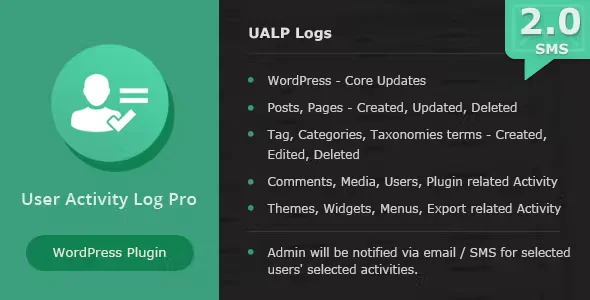
User Activity Log Pronull is a WordPress plugin designed to log and track user actions within your site. It allows you to understand who made what change and when, which is especially useful for online stores and projects with multiple editors, improving internal control and operational security.
Overview
This type of plugin focuses on logging events within WordPress: logins, changes to posts or pages, product modifications, configuration adjustments, and other relevant actions. Its overall purpose is to provide a clear activity history that facilitates traceability and control over what happens on the site.
In professional projects, it's used to provide an organized overview of changes made by administrators, editors, or contributors. It's common in WooCommerce stores, membership sites, and corporate projects where the goal is to minimize errors, detect suspicious activity, and maintain a useful record for internal audits.
What is the purpose of User Activity Log Pronull?
User Activity Log Pronull helps resolve the lack of visibility into what happens within a WordPress site with multiple users. Without this type of tool, tracking who modified a product, a sales page, or a critical setting can become complex and time-consuming.
In e-commerce, it's valuable for understanding who changed prices, stock levels, or order statuses. On membership sites, it allows you to track adjustments to access levels and restricted content. In corporate projects and landing pages, it makes it easy to know when significant changes were published, who edited forms or menus, and to detect actions that could affect the performance of digital marketing campaigns.
Who is it ideal for?
- For online store owners and managers who need to control internal actions on products, orders, and key content, especially when working with administration, customer service, or content editing teams.
- For agencies, studios, and teams that manage multiple WordPress sites and require a clear change history to coordinate tasks between developers, editors, marketing managers, and internal support staff.
- For projects that prioritize efficient management, prevention of human error, and process improvement, such as training portals, professional services websites, or content platforms that frequently update sections.
Key benefits
- Improve site management efficiency by providing an activity log that allows you to quickly identify the source of a problem, reverse improper changes, or adjust internal processes without wasting time investigating blindly.
- It optimizes the administrator's experience by providing clarity on team actions: who logged in, what they edited, and when, generating greater trust in collaborative work and reducing friction between users.
- It provides flexibility by allowing you to track different types of relevant actions, from content posts and updates to changes in site options, offering an activity view that adapts to different business models.
- It helps scale projects with large product catalogs or numerous collaborators, as it makes it easier to maintain control over mass modifications, update campaigns, and maintenance tasks performed by various profiles.
- It helps save time and reduce errors by quickly detecting unforeseen actions, accidental changes, or edits to sensitive elements, thus avoiding having to manually review multiple sections of the site to find the cause of a failure.
Main features of User Activity Log Pronull
- Record of typical user activities, such as logging in and out, creating or updating posts and pages, changes to store products, and general WordPress settings.
- Focus on monitoring actions relevant to daily management, which may include content updates, modifications to basic design elements, changes to menus or widgets, and adjustments to various settings.
- Tools geared towards the organization and control of the workflow, allowing the identification of activity patterns, days with more changes, or areas of the site where edits are made more frequently.
- The ability to review activity through chronological lists that show who performed the action, what type of element was modified and at what time, facilitating quick reading of the history.
- Features designed to help maintain an organized work environment, such as filters by action type or user, and a log structure that makes it easier to locate specific events related to a problem or incident.
Use cases
- Case 1: An online store with multiple product managers needs to know who changed a price or unpublished an item. The activity log allows them to pinpoint the exact action and make informed decisions without guesswork.
- Case 2: A membership project with protected content requires tracking changes to private pages and access levels. The action history helps understand the impact of each modification on end users.
- Case 3: A corporate website where several people edit service and news sections suddenly detects layout errors. Using the activity log, the last edit is identified, the changes are analyzed, and the errors are corrected more quickly.
Frequently Asked Questions about User Activity Log Pronull
What type of information does a WordPress user activity plugin typically record?
It typically records actions such as logins, content creation, editing, or deletion, changes to store products, basic configuration settings, and, in some cases, updates related to themes or plugins. The goal is to provide a history that helps understand what happened on the site and when.
Is an activity log useful if there are only a few administrators on the site?
Yes, even with few administrators, an activity log is useful. It allows you to remember what changes were made days ago, detect accidental errors, review who changed a specific setting, and have a clear reference when investigating a technical problem or a drop in conversion.
How does an activity log help in a WooCommerce store?
In a WooCommerce store, this feature is used to track changes to products, variations, descriptions, prices, and order statuses. This makes it easier to understand the impact of changes on sales, identify errors in bulk updates, and analyze which actions may have triggered stock or visibility issues.
Can an activity log improve internal team processes?
A well-used activity log promotes internal organization. By knowing who did what, teams can adjust workflows, avoid overwriting other colleagues' work, schedule tasks at appropriate times, and learn from past incidents by reviewing the event history.
Is it advisable to use an activity plugin in client projects managed by an agency?
It's common practice in agencies that manage third-party websites. The activity log allows you to document actions taken, justify changes to the client, detect interventions made by other administrators, and maintain a minimum level of control over the technical and content evolution of each project.
Does activity logging help with auditing or security review tasks?
Yes, it provides valuable information when reviewing security incidents or unusual behavior on the site. It allows for the identification of unusual access, unexpected changes to sensitive content, and actions taken just before a problem occurred, facilitating diagnosis and remediation.
Conclusion
User Activity Log Pronull integrates seamlessly as a key component for any WordPress project seeking greater control, organization, and traceability. By providing a clear history of actions, it helps improve daily management, reduce errors, and enable informed decision-making based on concrete information about what's happening on the site.
Your individual purchase includes:
- Lifetime updates.*
- Product ready to use.
- Immediate access to the product.
- Clean and virus-free files.
- GNU GPL V2/V3 License
- Technical support in Spanish and English.
* In the case of memberships, the period during which you will receive updates will depend on the type of membership purchased: monthly, annual, or lifetime.
Get your questions answered here
Here you'll find answers to frequently asked questions about our service: how it works, what it includes, and how to get the most out of it.
On how many websites can I use the products?
You can use any product from our store on any website you want.
Will I get updates?
Absolutely. If you buy an individual product, you'll get lifetime updates for that product.
On the other hand, if you purchase a membership, you will receive updates until your membership expires.
What if I have a problem?
First of all, we want you to know that you can count on us. We will assist you and provide the necessary support, so you can rest assured.
On the other hand, it is important for you to know that, given the time difference between countries, your time and ours may not be the same, so we will be delayed accordingly.
Our opening hours start at 9 AM from Monday to Friday, UTC -3. We are open until around 6 PM.
Do they provide technical support?
Yes, and regarding the time, it is usually on average within 24 to 48 business hours.
However, there are times when we have already provided an answer and solution in less than a day, depending on the case.
Are there download limits?
No. We don't believe in that format, so you can download as many times as you want. No problem. We pay for high-quality professional storage precisely to avoid problems.
Do they provide license keys?
No. Giving out the keys is not a viable option, as we have had experiences where they end up circulating everywhere and we can even lose the associated accounts.
That said, all products are original and, in cases where a license key is required to function, we will take care of pre-activating them for you.
Does my purchase include an invoice?
Yes. After payment, you will be able to access your invoice immediately in the "Purchases" section of your user account.
That is why it is important that you properly complete the information requested at the time of payment.
Is there a warranty?
Yes, of course. If there's a problem we can't resolve, or if there's an external issue that doesn't have a general solution, you'll receive support and, if necessary, a full refund. We have a 14-day refund policy from the date of purchase.
- It should be noted that there is no warranty if the product works well and it simply wasn't what you wanted.
There have been instances where someone buys a product, the product works perfectly, but they don't like it and want a refund, keeping the product. That's not right.
However, everything is evaluable and reasonable. Let's use judgment together.
What are the opening hours?
Our opening hours are:
- Monday to Friday, from 9 a.m. to 6 p.m.
- Saturday and Sunday: No service.
UTC -3 time

Reviewed by the WPClub team
At WPClub, we carefully review each product before listing it. Our team evaluates its key features, compatibility, and performance to provide you with reliable, up-to-date, and helpful information when choosing and using each resource available in our store.
Download previous versions
If you have purchased this product, or have an active membership, you can download previous versions as we release them, without any limits or restrictions.
| Nombre del producto | Versión | Tamaño | Fecha | Descargar |
|---|---|---|---|---|
| No hay versiones anteriores registradas. | ||||

Our Reputation on Trustpilot
Many thanks to those who take the time to give us a rating on Trustpilot. Each and every one of your comments is very helpful to us. We strive to provide a rewarding experience for every member of our community, always with respect and care. We'll be here!






















WPClub Memberships
Access our entire catalog for a single payment. We offer three memberships: Monthly, Annual, and Lifetime (One-Time Payment).
- Save thousands of dollars
- Unlimited daily downloads
- No recurring payments
- Fast downloads by AWS
- Quality service and support, validated since 2018
- We work with love for our community