


- Secure payment
- Spanish and English support
- With you since 2018
Wiloke 3D Slider Elementor 1.0.1
$10.00 El precio original era: $10.00.$5.99El precio actual es: $5.99.
Quick summary
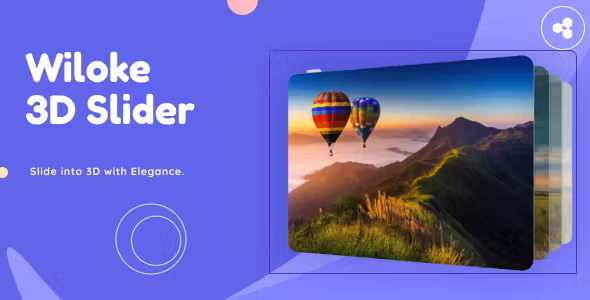
Wiloke 3D Slider Elementor is a visual plugin for Elementor focused on creating carousels and sliders with a realistic 3D effect. It's designed for those who need to highlight products, portfolios, testimonials, or key content without resorting to custom development. Its goal is to transform static sections into interactive blocks that capture attention in seconds and boost conversions on sales pages, landing pages, and home pages built with WordPress.
What problem does it help solve?
On many Elementor-built websites, sliders often end up being flat, predictable, and forgettable. They simply scroll through horizontal images without providing any sense of depth or real dynamism. This causes users to scroll past without paying attention to the main message, even if the overall site design is polished. When your header, featured products section, or portfolio lacks visual impact, click-through and engagement rates drop directly.
Wiloke 3D Slider Elementor focuses precisely on this: transforming regular sections of your website into three-dimensional blocks that stand out from any standard slider. This is relevant when you've already optimized text, colors, and structure, but the "first impression" is still weak. If you've already experienced visitors scrolling without looking at your featured content, the problem isn't just with the content itself, but with how you present it visually within the Elementor interface.
In real-world projects, this problem is clearly seen on homepages with many important elements vying for attention: offers, new products, main services, testimonials. A conventional slider fails to create hierarchy or keep the user looking for a few extra seconds. A well-integrated 3D effect helps to organize the viewer's eye, guide it toward what's relevant, and give the sense of polished design expected of a modern, professional website.
Why this solution makes a difference
The value of Wiloke 3D Slider Elementor lies not only in "having another slider," but in how it transforms the perception of your content when displayed with depth, movement, and visual focus. When working with WordPress and Elementor, most changes tend to involve color, typography, or spacing. This add-on takes it a step further: moving from a flat structure to a three-dimensional layout that reinforces your page's visual narrative.
In day-to-day use, this has a very concrete impact. On the one hand, it reduces the time you spend testing section combinations to "see if they attract more attention," because you already have a block designed to stand out. On the other hand, it allows you to maintain a modern aesthetic without constantly resorting to designers or specific developments. When you start noticing that you're repeating the same slider designs in different projects because "that's what Elementor has," this plugin opens up immediate new options.
Furthermore, working with a single block dedicated to 3D effects helps you maintain consistency: you don't need to mix multiple modules or dependencies to achieve a striking result. You can focus on the content (images, text, calls to action) knowing that the module itself takes care of providing the visual impact. This reduces layout errors, strange overlaps, or inconsistent animations that often appear when improvising with too many widgets combined.
Signs you need this product
- Your homepage displays important information in flat sliders that go unnoticed and do not generate clicks or measurable interaction.
- You notice friction when working with Elementor because, although you have basic carousels, none of them convey the visual feeling you're looking for in a more modern project.
- You waste time trying out third-party widgets and column combinations to achieve a striking effect, without achieving a clean and stable result.
- When your site starts to grow and you need to highlight collections, services, or success stories, the current design no longer reflects the professional level you want to project.
When does it make sense to use it (and when doesn't)
Wiloke 3D Slider Elementor adds value when your project requires extra visual impact in very specific areas: homepage headers, key product sections, portfolios that need to stand out, or campaign landing pages where every second of attention counts. It's also a good fit when you're looking to strengthen your brand with a more sophisticated design without completely rebuilding your theme or changing the entire structure of your WordPress website.
On the other hand, it's not necessary for all types of sites. If your page functions as a simple blog, focused on linear reading and without visual emphasis on featured content, a 3D slider adds unnecessary complexity. It also doesn't make sense if your audience primarily accesses the site through very limited internet connections and you need extremely minimalist interfaces. In those contexts, a basic carousel or even well-designed static sections are sufficient and more consistent with the overall goal of the project.
Who it fits best for
- Designers and layout artists who regularly work with Elementor and need specific resources to give a visual quality boost to headers and main sections.
- Online store owners who want to highlight categories, collections, or star products with a more eye-catching presentation than a traditional carousel.
- Agencies and freelancers who manage multiple WordPress websites and are looking for a consistent way to offer attractive 3D sliders without developing custom modules each time.
Practical benefits
- Transform critical sections (home, landing, sales pages) into blocks with greater visual impact, improving the ability to direct attention to key offers and messages.
- The visitor experience becomes more dynamic: the 3D effect generates curiosity and adds a sense of modernity without saturating the page with superfluous elements.
- It allows you to organize important content (images, text, buttons) in the same three-dimensional module, maintaining a clear hierarchy that is easy to adjust from Elementor.
- Reduce the time you spend on repetitive design testing, as you have a specific block for 3D sliders ready to be reused in different projects.
- It helps minimize visual errors resulting from combining too many widgets, creating a controlled base where movement and depth are coherently integrated.
How it fits within WordPress
Wiloke 3D Slider Elementor acts as an add-on within Elementor's visual flow. It doesn't replace the page builder or redefine your theme's structure; instead, it adds a specialized module for a very specific task: creating sliders and carousels with a three-dimensional effect. In this context, its role is that of a high-impact block placed in strategic areas of the layout, while the rest of the page continues to be structured with the standard WordPress and Elementor sections and columns.
When working on your page, you integrate it into the same design workflow you already use: you edit the template with Elementor, choose the corresponding widget, and adjust its appearance from the visual interface. This allows you to maintain a single work environment, avoiding switching builders or resorting to external solutions. When you start to notice that the native carousel options don't meet the presentation standards your clients expect, this specific module fits perfectly as an additional piece within your existing ecosystem.
Typical use cases
- Online stores that want to showcase a group of featured products (for example, a seasonal collection) in a 3D slider at the top of the homepage to capture clicks towards those listings.
- Creative service sites (agencies, photographers, designers) that display their portfolio in a three-dimensional carousel, allowing the visitor to browse projects without losing the sense of visual immersion.
- Landing pages for specific campaigns where the objective is to direct attention to testimonials, results or case studies, taking advantage of the 3D effect to reinforce the credibility and recall of the content.
Frequently Asked Questions about Wiloke 3D Slider Elementor
How does Wiloke 3D Slider Elementor differ from a standard Elementor carousel?
The main difference lies in how the content is presented. A standard carousel displays images or blocks on a single plane, while Wiloke 3D Slider Elementor introduces depth and perspective, creating a more immersive sense of layers and movement. This makes key sections, such as featured products or portfolios, seem less like "just another row of slides" and more like a prominent module that guides the eye. This visual distinction has a direct impact on attention and the perceived quality of the site.
When is it better to use a 3D slider instead of a simple static image?
A 3D slider makes sense when you need to showcase multiple pieces of content that share similar relevance: different services, featured products, recent projects, or bundled offers. If you only have one main message, a carefully designed static image might suffice. However, when the user's decision hinges on quickly comparing several options, the three-dimensional effect helps them navigate through the content without losing interest. This becomes relevant when you start noticing that your static blocks are becoming cluttered with elements and you're unable to clearly organize them.
Can Wiloke 3D Slider Elementor be used in multiple sections of the same website without overloading the design?
Yes, but with discretion. This type of effect works best as a focal point in specific areas: the main header, a featured product section, or a portfolio block. If you repeat it too often on the page, the visual impact is diluted and navigation becomes cumbersome. The most effective approach is to choose one or two key areas where it's crucial to capture the visitor's attention, and reserve the rest of the layout for cleaner, more static sections that balance the overall experience.
What type of content is best utilized in a 3D slider created with this plugin?
Wiloke 3D Slider Elementor is especially useful for elements with a strong visual component combined with a clear message: product images with calls to action, project screenshots accompanied by brief headlines, testimonials with photos and key quotes. The three-dimensional effect works best when each slide has a well-defined focal point. If you fill each panel with too much text or scattered elements, the impact is reduced. The key is to think of each slide as a small, highly focused "card" with a single objective.
Is it appropriate to use Wiloke 3D Slider Elementor on very minimalist or corporate pages?
It depends on the type of minimalism you're aiming for. On corporate websites that want to convey both seriousness and innovation, a well-balanced 3D slider on the homepage or in a success stories section can reinforce the modern image without disrupting the visual style. On the other hand, if you're working with an ultra-minimalist aesthetic where almost everything is typography and white space, a striking three-dimensional effect could clash with that intention. In those cases, it's a better fit for specific internal pages or campaign microsites.
Conclusion
Wiloke 3D Slider Elementor is designed for those who need certain sections of their website to stand out from "just another block" and become real focal points. If you've ever experienced sliders going unnoticed despite having great content, adding depth and controlled movement can make all the difference. Integrated into your existing Elementor workflow, it allows you to reserve visual impact for the messages that most influence your daily results, without having to completely redesign your site.
Your individual purchase includes:
- Lifetime updates.*
- Product ready to use.
- Immediate access to the product.
- Clean and virus-free files.
- GNU GPL V2/V3 License
- Technical support in Spanish and English.
* In the case of memberships, the period during which you will receive updates will depend on the type of membership purchased: monthly, annual, or lifetime.
Get your questions answered here
Here you'll find answers to frequently asked questions about our service: how it works, what it includes, and how to get the most out of it.
On how many websites can I use the products?
You can use any product from our store on any website you want.
Will I get updates?
Absolutely. If you buy an individual product, you'll get lifetime updates for that product.
On the other hand, if you purchase a membership, you will receive updates until your membership expires.
What if I have a problem?
First of all, we want you to know that you can count on us. We will assist you and provide the necessary support, so you can rest assured.
On the other hand, it is important for you to know that, given the time difference between countries, your time and ours may not be the same, so we will be delayed accordingly.
Our opening hours start at 9 AM from Monday to Friday, UTC -3. We are open until around 6 PM.
Do they provide technical support?
Yes, and regarding the time, it is usually on average within 24 to 48 business hours.
However, there are times when we have already provided an answer and solution in less than a day, depending on the case.
Are there download limits?
No. We don't believe in that format, so you can download as many times as you want. No problem. We pay for high-quality professional storage precisely to avoid problems.
Do they provide license keys?
No. Giving out the keys is not a viable option, as we have had experiences where they end up circulating everywhere and we can even lose the associated accounts.
That said, all products are original and, in cases where a license key is required to function, we will take care of pre-activating them for you.
Does my purchase include an invoice?
Yes. After payment, you will be able to access your invoice immediately in the "Purchases" section of your user account.
That is why it is important that you properly complete the information requested at the time of payment.
Is there a warranty?
Yes, of course. If there's a problem we can't resolve, or if there's an external issue that doesn't have a general solution, you'll receive support and, if necessary, a full refund. We have a 14-day refund policy from the date of purchase.
- It should be noted that there is no warranty if the product works well and it simply wasn't what you wanted.
There have been instances where someone buys a product, the product works perfectly, but they don't like it and want a refund, keeping the product. That's not right.
However, everything is evaluable and reasonable. Let's use judgment together.
What are the opening hours?
Our opening hours are:
- Monday to Friday, from 9 a.m. to 6 p.m.
- Saturday and Sunday: No service.
UTC -3 time

Reviewed by the WPClub team
At WPClub, we carefully review each product before listing it. Our team evaluates its key features, compatibility, and performance to provide you with reliable, up-to-date, and helpful information when choosing and using each resource available in our store.
Download previous versions
If you have purchased this product, or have an active membership, you can download previous versions as we release them, without any limits or restrictions.
| Nombre del producto | Versión | Tamaño | Fecha | Descargar |
|---|---|---|---|---|
| No hay versiones anteriores registradas. | ||||

Our Reputation on Trustpilot
Many thanks to those who take the time to give us a rating on Trustpilot. Each and every one of your comments is very helpful to us. We strive to provide a rewarding experience for every member of our community, always with respect and care. We'll be here!






















WPClub Memberships
Access our entire catalog for a single payment. We offer three memberships: Monthly, Annual, and Lifetime (One-Time Payment).
- Save thousands of dollars
- Unlimited daily downloads
- No recurring payments
- Fast downloads by AWS
- Quality service and support, validated since 2018
- We work with love for our community