
Wiloke Highlight Featured Products for Elementor 1.0.1



- Secure Payment
- Support from Monday to Friday
- With you since 2018
$15.00 El precio original era: $15.00.$5.99El precio actual es: $5.99.
Quick summary
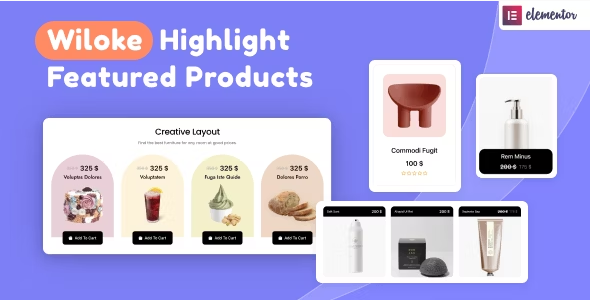
Wiloke Highlight Featured Products for Elementor is an extension designed for WooCommerce stores using Elementor that need to highlight specific products visually and in a way that's consistent with the overall design. It solves the problem of having attractive product pages but flat and unclear product listings. It's ideal for those who want to highlight offers, featured products, or key categories without spending time adjusting designs individually.
What problem does it help solve?
In many WordPress stores, the individual product pages are carefully designed, but the overall listings look the same, lacking hierarchy and clear messaging. This leads users to browse aimlessly, fail to identify what's important, and abandon their search without making a decision. When you start noticing that no one is clicking on the items you most want to sell, the problem is no longer the catalog itself, but how it's displayed.
In this context, having dozens or hundreds of product listings without a visual order that highlights what's relevant complicates marketing campaigns. You might have a product with a higher profit margin, a recent launch, or a promotional item, but if it gets lost among the rest, the effort to attract traffic is diluted. If you've ever invested in ads for your store only to have users get lost in a grid of identical products, you're facing precisely this obstacle.
Furthermore, as WooCommerce grows, manually managing visual labels, "featured" banners, or distinct designs for certain products becomes impractical. You end up duplicating blocks, creating separate sections, or redrawing layouts in Elementor just to make one product appear more prominent than another, multiplying the workload and making it difficult to maintain consistency.
Why this solution makes a difference
Wiloke Highlight Featured Products for Elementor focuses on one very specific point: giving visual prominence to featured products within the layouts you already build with Elementor. It doesn't try to replace WooCommerce or Elementor, but rather provides a specific presentation layer for those items that deserve more attention. This directly impacts how users behave when they reach your product listings.
When working with WordPress, it's common to combine widgets and templates to create product sections. With this extension, you can clearly differentiate certain items without redesigning the entire layout. This helps reduce duplicate entries, avoids inconsistencies between pages, and, most importantly, saves you time by eliminating the need to create special blocks for each campaign. The focus shifts to deciding what to highlight, not how to format it every time.
In real-world projects, this method of highlighting products translates into more clicks to key offers and a more guided navigation experience. Users understand what's relevant at a glance, and you maintain visual control without leaving the familiar design environment. The difference lies not in adding more elements, but in making better use of the space you already have in your Elementor-built sections.
Signs you need this product
- Products with higher margins or strategic interest get lost in the mix in your listings and receive little interaction.
- You'll notice friction when trying to highlight offers within Elementor, because you end up creating parallel sections or duplicate designs for just a few items.
- You start wasting time manually organizing which products look "special" on each page, and that complicates updating prices or campaigns.
- Your ecommerce business is growing, new categories are appearing, and you feel like the catalog is becoming flat, without a visual guide to direct the user to what you want to sell first.
When does it make sense to use it (and when doesn't)
This plugin makes sense when you're already working with Elementor in a WooCommerce store and need to precisely control which products should stand out in the browsing experience. If you manage promotions, recurring releases, limited collections, or flagship products, having a consistent visual system to highlight them helps prioritize your catalog without getting bogged down in complex layouts.
On the other hand, if your store only has a few items and each one has its own landing page in Elementor, you might not need it yet. In very small catalogs, you can highlight each product manually without creating clutter. It's also unnecessary if you don't work with extensive listings or if your focus is solely on a single sales page where there's no comparison between multiple products.
The key lies in volume and the need for visual hierarchy. When you start noticing your product sections growing and the user sees everything looking the same, that's when a specialized extension for highlighting featured items has a clear impact. Before reaching that point, its value will be less because the underlying problem doesn't yet exist.
Who it fits best for
- WooCommerce store managers who build their pages with Elementor and want to draw attention to key products without relying on custom development.
- Ecommerce projects with medium or large catalogs, where the way featured products are presented directly influences sales and campaign performance.
- Marketing professionals or agencies that manage multiple WordPress stores and need a consistent way to highlight important products within custom layouts.
Practical benefits
- Real operational improvement by centralizing how featured products are displayed, avoiding the need to redesign specific blocks for each campaign or promotional period.
- A clearer user experience for the visitor, who can quickly identify which items are recommended, special, or priority items compared to the rest of the catalog.
- Greater control and organization on your pages created with Elementor, maintaining a stable visual hierarchy between listings, category sections, and product modules.
- Save time by setting up featured sections on different pages without recreating styles from scratch or manually varying the presentation in each design.
- Reducing errors in the presentation of key products, avoiding inconsistencies between pages, contradictory visual elements, or confusing messages about what is really important.
How it fits within WordPress
Within the WordPress ecosystem, Wiloke Highlight Featured Products for Elementor is a dedicated tool for designing product sections within WooCommerce. It doesn't replace the page builder or the shop engine; rather, it leverages both to highlight specific items in the catalog. Your workflow will continue to use WordPress for content management, WooCommerce for inventory, and Elementor for layout, while this extension focuses on showcasing featured products.
When working with templates and widgets in Elementor, this tool adds an extra layer of visual control that guides the user's attention without disrupting the overall page design. It's especially well-suited for projects where homepages, category landing pages, and recommendations sections are all built within the visual editor and require consistency. This allows the featured products design layer to seamlessly integrate into your existing workflow.
Typical use cases
- Online stores that create a "Recommended Products" section on the homepage using Elementor and need those items to be clearly differentiated and consistent with the rest of the design.
- Temporary campaigns that aim to highlight certain products within existing pages, without rebuilding the structure, such as seasonal collections, combos, or special selections.
- Situations where specific pages are designed for key categories (e.g., "New Arrivals" or "Best Sellers") and it is necessary to highlight certain products within those same sections to guide the purchase decision.
Frequently Asked Questions about Wiloke Highlight Featured Products for Elementor
How does this differ from using only the native WooCommerce featured products?
WooCommerce allows you to mark products as featured, but how they're displayed on the front end depends almost entirely on the theme or generic widgets. Wiloke Highlight Featured Products for Elementor focuses on how these items are presented within Elementor layouts. It gives you more specific visual control, aligned with the design you already create in the editor, so that featured items aren't just an internal label, but a clearly visible and well-developed element on your pages.
Does it make sense to use it if I only design the homepage with Elementor and the rest with standard templates?
In that case, its value is concentrated primarily on the homepage and other pages you build with Elementor, such as campaign landing pages or custom category pages. If your homepage is the main entry point to your store and you group promotions, new arrivals, and special selections there, highlighting those products effectively directly impacts the user journey. If almost all your traffic comes through these built-in pages, the extension has a clear purpose.
Does it help to better organize product campaigns within Elementor?
Yes, because it allows you to separate the concept of "which products I want to highlight" from "how I'm going to design the page layout." By focusing on showcasing featured products, you can reuse the same visual structure across different pages and simply change which items are featured. This makes it easy to launch recurring campaigns, rotate promotions, or reinforce certain products without redesigning entire sections—especially useful when managing multiple catalog sections from Elementor.
What happens if I later change the overall design in Elementor?
If you redesign your Elementor site, Wiloke Highlight Featured Products for Elementor adapts to the new visual approach because it integrates seamlessly into the layout workflow. The main change will be how you build your new product sections, but the logic of highlighting certain items will remain. This avoids having to completely redesign your featured products every time you update the overall design, maintaining continuity in your catalog hierarchy.
Is it useful if I work with many seasonal products or changing collections?
When managing frequently changing collections, the most time-consuming aspect is often keeping the section design up-to-date without sacrificing clarity. This extension helps you focus your efforts on which products should be featured prominently, without worrying so much about recreating the visual environment each time. You can maintain a fixed structure for featured items on your key pages and simply rotate the articles according to the season, ensuring a consistent presentation that's quick to update directly from the editor.
Conclusion
Wiloke Highlight Featured Products for Elementor is designed for WooCommerce stores using Elementor that want to highlight certain products without complicating the design. It solves the problem of flat catalogs, where everything looks the same and users struggle to identify what deserves more attention. In projects where presentation and visual hierarchy directly influence purchasing decisions, having a dedicated layer to highlight featured products makes a practical difference in daily operations.
Latest update:

Written by: WPClub
With over seven years of experience curating, managing, and distributing GPL products, our content is based on hands-on experience, technical review, testing, and feedback from thousands of users. We aim to democratize and simplify the WordPress world so you can choose with confidence, speed, and ease.
Your Individual Purchase Includes:
- Lifetime updates.*
- Official product, ready to use.
- Immediate access to the product.
- Clean and virus-free files.
- GNU GPL V2/V3 License
- Technical support in Spanish and English.
* In the case of memberships, the period during which you will receive updates will depend on the type of membership purchased: monthly, annual, or lifetime.
Notify Update
We update products Monday through Friday. However, if the product you see is not yet updated, you can notify us so we can prioritize updating it whenever possible.
Get your questions answered here
Here you'll find answers to frequently asked questions about our service: how it works, what it includes, and how to get the most out of it.
On how many websites can I use the products?
You can use any product from our store on any website you want.
Will I get updates?
Absolutely. If you buy an individual product, you'll get lifetime updates for that product.
On the other hand, if you purchase a membership, you will receive updates until your membership expires.
What if I have a problem?
First of all, we want you to know that you can count on us. We will assist you and provide the necessary support, so you can rest assured.
On the other hand, it is important for you to know that, given the time difference between countries, your time and ours may not be the same, so we will be delayed accordingly.
Our opening hours start at 9 AM from Monday to Friday, UTC -3. We are open until around 6 PM.
Do they provide technical support?
Yes, and regarding the time, it is usually on average within 24 to 48 business hours.
However, there are times when we have already provided an answer and solution in less than a day, depending on the case.
Are there download limits?
No. We don't believe in that format, so you can download as many times as you want. No problem. We pay for high-quality professional storage precisely to avoid problems.
Do they provide license keys?
No. Giving out the keys is not a viable option, as we have had experiences where they end up circulating everywhere and we can even lose the associated accounts.
That said, all products are original and, in cases where a license key is required to function, we will take care of pre-activating them for you.
Does my purchase include an invoice?
Yes. After payment, you will be able to access your invoice immediately in the "Purchases" section of your user account.
That is why it is important that you properly complete the information requested at the time of payment.
Is there a warranty?
Yes, of course. If there's a problem we can't resolve, or if there's an external issue that doesn't have a general solution, you'll receive support and, if necessary, a full refund. We have a 14-day refund policy from the date of purchase.
- It should be noted that there is no warranty if the product works well and it simply wasn't what you wanted.
There have been instances where someone buys a product, the product works perfectly, but they don't like it and want a refund, keeping the product. That's not right.
However, everything is evaluable and reasonable. Let's use judgment together.
What are the opening hours?
Our opening hours are:
- Monday to Friday, from 9 a.m. to 6 p.m.
- Saturday and Sunday: No service.
UTC -3 time
| Nombre del producto | Versión | Tamaño | Fecha | Descargar |
|---|---|---|---|---|
| No hay versiones anteriores registradas. | ||||

Our Reputation on Trustpilot
Many thanks to those who take the time to give us a rating on Trustpilot. Each and every one of your comments is very helpful to us. We strive to provide a rewarding experience for every member of our community, always with respect and care. We'll be here!






















WPClub Memberships
Access our entire catalog for a single payment. We offer three memberships: Monthly, Annual, and Lifetime (One-Time Payment).
- Save thousands of dollars
- Unlimited daily downloads
- No recurring payments
- Fast downloads by AWS
- Quality service and support, validated since 2018
- We work with love for our community