


- Secure payment
- Spanish and English support
- With you since 2018
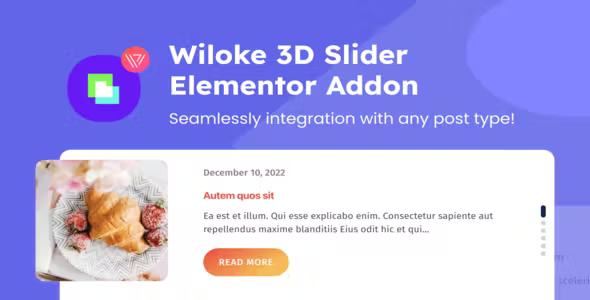
Wiloke Posts Slider for Elementor 1.0.0
$10.00 El precio original era: $10.00.$5.99El precio actual es: $5.99.
Quick summary
Wiloke Posts Slider for Elementor is a dedicated extension for creating dynamic post carousels within Elementor, eliminating the need for generic widgets or custom development. It allows you to display posts, news items, or articles in a sliding format, with a consistent and visually editable design. It's especially useful for websites that frequently publish content and need to showcase it attractively without spending time on repetitive layouts.
What problem does it help solve?
On many WordPress sites, new content quickly gets lost in the post archive. Adding an attractive featured section to the homepage or key pages often results in manual layouts: duplicating columns, copying titles, manually extracting featured images, and updating everything every time something is published. This is time-consuming, breaks visual consistency, and leads to errors when the content team isn't proficient with the page builder.
When you start noticing that your recent posts aren't getting noticed, that users are barely discovering valuable older articles, or that your blog seems static despite regular posting, the problem isn't the content itself, but how it's presented. In this context, a centered post slider in Elementor allows each new post to automatically appear in an attractive carousel, without requiring any changes to the page design.
If you've ever changed the design of a news section only to find it cluttered again a month later because someone modified columns or duplicated widgets, the problem lies in not having a single block to manage the entire post display. Wiloke Posts Slider for Elementor focuses precisely on this: transforming the post list into a slider module controlled from a single location.
Why this solution makes a difference
The main difference is that this isn't a generic carousel, but a slider designed specifically to work with WordPress posts within Elementor. This allows you to control what type of content to display, how to order it, and its design, all without leaving the visual environment where you already work on your pages. There's no need to replicate layouts post by post or manually adjust each featured content block.
In real-world projects, this impacts daily operations in several ways: the content team can publish without worrying about the homepage; the marketing manager has a stable space to highlight key posts; and the design team maintains a consistent layout across all sections where the slider is used. The risk of "broken sections" after each change is reduced, and consistency is gained throughout the website.
On the other hand, by concentrating the presentation of entries in a single slider widget, every design adjustment (typography, number of visible columns, navigation style) is automatically applied to the entire block. This avoids endless micro-adjustments and reduces errors such as misalignment, image cropping, or text overflowing the container, which are very common when manually creating a carousel with separate columns and widgets.
Signs you need this product
- Your homepage has a "latest posts" or "news" section that almost no one sees because it remains static and unattractive.
- You'll notice friction when working with Elementor because, to change which posts are featured, you end up manually editing several blocks on different pages.
- You waste time copying titles, summaries, and featured images to build carousels or grids that quickly become outdated.
- You're in a growth scenario where blogs, news, or resource articles are already key to your strategy, and you need a clear way to highlight them without constantly redesigning them.
When does it make sense to use it (and when doesn't)
Wiloke Posts Slider for Elementor makes sense when Elementor is central to your page design and post-based content is relevant to your business: active blogs, digital magazines, corporate websites with news, academies with educational articles, or portfolios that use posts to showcase projects. In these cases, displaying content as a dynamic slider improves visibility without increasing maintenance complexity.
It's also useful when you need multiple sections of swiping posts on different pages, each with different criteria: recent articles on the homepage, entries by category on service pages, or recommended content at the end of an article. Having a dedicated module makes it easy for each area to use its own filters and design without relying on improvised layouts.
However, this plugin isn't necessary if you rarely publish new content, if your site only has a few static pages, or if you already use a minimalist design where post listings are displayed as simple lists without carousels. It also doesn't add value if you don't use Elementor in your daily workflow, since its purpose is precisely to integrate with the visual layout of this builder.
Who it fits best for
- Content creators and bloggers who publish frequently and want their latest or most strategic articles to appear prominently on the homepage or on specific landing pages without having to redo sections every week.
- WordPress Agencies and Freelancers who build sites with Elementor and need a repeatable and controlled way to offer post carousels to their customers, avoiding manual setups that are then difficult to maintain.
- Businesses with a corporate blog or news section where new developments have a commercial impact: product launches, service updates, educational articles, or case studies that require a prominent space in the design.
Practical benefits
- Actual operational improvementThe featured posts section is fed directly from the published content, avoiding manual updating tasks each time a new article is generated.
- User experienceThe visitor perceives a dynamic and organized section, with clear navigation between articles, making it easy to discover more content without leaving the current page.
- Control and organizationBy centralizing the display of posts in a single slider widget within Elementor, a consistent structure is maintained across all pages where the content is displayed.
- Time saving: Repeated layouts of news blocks are minimized, avoiding having to manually assemble entry cards every time you want to highlight something.
- Error ReductionThis prevents team members from breaking columns, inconsistently changing image sizes, or leaving outdated sections when trying to edit "handmade" carousels.
How it fits within WordPress
Within the WordPress ecosystem, Wiloke Posts Slider for Elementor sits between content and design. WordPress manages posts, categories, and taxonomies; Elementor handles page layout; and this plugin acts as the bridge that transforms those posts into a slider block ready to be inserted into any section designed with the page builder.
When working with WordPress, the typical workflow is: create content, assign categories, and decide which pages it will appear on. In this workflow, the slider widget becomes the point where you define which posts will be displayed, how they will be ordered, and how they will be visually presented. Once configured, each new post automatically becomes part of that section, maintaining a balance between editorial order and consistent design.
Typical use cases
- Active blog with dynamic homepage: Insert a slider of latest articles on the homepage so that visitors can immediately see the most recent content without having to go to the blog page.
- Service pages with educational content: display in a carousel the articles related to a specific service, reinforcing the value proposition with guides, success stories or news associated with that service.
- Resources or academic sectionsUse the slider to present short courses, tutorials, or articles by category, making it easier for the user to navigate through different content without leaving the main resources page.
Frequently Asked Questions about Wiloke Posts Slider for Elementor
How does Wiloke Posts Slider for Elementor differ from a generic image carousel?
An image carousel only displays static files that you have to upload and manage one by one. Wiloke Posts Slider for Elementor, on the other hand, works directly with WordPress posts. This means it leverages existing titles, excerpts, featured images, and taxonomies. When you publish a new post, it can automatically appear in the slider based on your defined criteria, without having to manually replace images or reconfigure the carousel each time.
How does it help to better organize blog sections on content-heavy sites?
On websites with a high volume of articles, the challenge isn't just publishing, but deciding what to display in each area. With Wiloke Posts Slider for Elementor, you can create different sliders for each space: one with recent posts on the homepage, another with posts from a specific category on a dedicated landing page, and another with featured content on a resources page. This transforms it into a visual organizational tool that distributes content according to its function on the website.
What happens if I have multiple authors publishing content at the same time?
When multiple authors collaborate on a blog, the risk is losing control over what appears first on the homepage or in featured sections. This plugin allows you to define clear criteria from the slider: by date, category, or post type, for example. This way, regardless of who publishes, the content will be displayed according to the logic you've established, without needing to manually review each block after every post.
Is it useful if my strategy is based on content by category or theme?
If your editorial strategy is organized by categories or topics, Wiloke Posts Slider for Elementor is a perfect fit. You can create category-specific sliders and place them on pages that cover that same topic. This allows you to connect each service, section, or landing page with its related articles, increasing dwell time and giving meaning to the category structure you already use in WordPress, without having to create static listings for each one.
What happens if I later change parts of my Elementor site design?
If you adjust the overall design of your Elementor site in the future, the slider will remain a regular block within your templates. You'll be able to modify fonts, sizes, and layout directly from the builder, just as you would with other sections. The important thing is that you continue managing the content from your WordPress posts, so you won't have to manually recreate news galleries or reorder cards; you'll simply need to adapt the widget's visual style to fit the new layout.
Conclusion
Wiloke Posts Slider for Elementor exists to solve a very specific problem: how to transform the constant flow of WordPress posts into a neat, attractive, and easy-to-maintain slider within Elementor. If your website relies on content and you need to highlight it without spending time on repetitive layouts, having a dedicated posts slider brings clarity to the design and stability to your daily work on your site.
Your individual purchase includes:
- Lifetime updates.*
- Product ready to use.
- Immediate access to the product.
- Clean and virus-free files.
- GNU GPL V2/V3 License
- Technical support in Spanish and English.
* In the case of memberships, the period during which you will receive updates will depend on the type of membership purchased: monthly, annual, or lifetime.
Get your questions answered here
Here you'll find answers to frequently asked questions about our service: how it works, what it includes, and how to get the most out of it.
On how many websites can I use the products?
You can use any product from our store on any website you want.
Will I get updates?
Absolutely. If you buy an individual product, you'll get lifetime updates for that product.
On the other hand, if you purchase a membership, you will receive updates until your membership expires.
What if I have a problem?
First of all, we want you to know that you can count on us. We will assist you and provide the necessary support, so you can rest assured.
On the other hand, it is important for you to know that, given the time difference between countries, your time and ours may not be the same, so we will be delayed accordingly.
Our opening hours start at 9 AM from Monday to Friday, UTC -3. We are open until around 6 PM.
Do they provide technical support?
Yes, and regarding the time, it is usually on average within 24 to 48 business hours.
However, there are times when we have already provided an answer and solution in less than a day, depending on the case.
Are there download limits?
No. We don't believe in that format, so you can download as many times as you want. No problem. We pay for high-quality professional storage precisely to avoid problems.
Do they provide license keys?
No. Giving out the keys is not a viable option, as we have had experiences where they end up circulating everywhere and we can even lose the associated accounts.
That said, all products are original and, in cases where a license key is required to function, we will take care of pre-activating them for you.
Does my purchase include an invoice?
Yes. After payment, you will be able to access your invoice immediately in the "Purchases" section of your user account.
That is why it is important that you properly complete the information requested at the time of payment.
Is there a warranty?
Yes, of course. If there's a problem we can't resolve, or if there's an external issue that doesn't have a general solution, you'll receive support and, if necessary, a full refund. We have a 14-day refund policy from the date of purchase.
- It should be noted that there is no warranty if the product works well and it simply wasn't what you wanted.
There have been instances where someone buys a product, the product works perfectly, but they don't like it and want a refund, keeping the product. That's not right.
However, everything is evaluable and reasonable. Let's use judgment together.
What are the opening hours?
Our opening hours are:
- Monday to Friday, from 9 a.m. to 6 p.m.
- Saturday and Sunday: No service.
UTC -3 time

Reviewed by the WPClub team
At WPClub, we carefully review each product before listing it. Our team evaluates its key features, compatibility, and performance to provide you with reliable, up-to-date, and helpful information when choosing and using each resource available in our store.
Download previous versions
If you have purchased this product, or have an active membership, you can download previous versions as we release them, without any limits or restrictions.
| Nombre del producto | Versión | Tamaño | Fecha | Descargar |
|---|---|---|---|---|
| No hay versiones anteriores registradas. | ||||

Our Reputation on Trustpilot
Many thanks to those who take the time to give us a rating on Trustpilot. Each and every one of your comments is very helpful to us. We strive to provide a rewarding experience for every member of our community, always with respect and care. We'll be here!






















WPClub Memberships
Access our entire catalog for a single payment. We offer three memberships: Monthly, Annual, and Lifetime (One-Time Payment).
- Save thousands of dollars
- Unlimited daily downloads
- No recurring payments
- Fast downloads by AWS
- Quality service and support, validated since 2018
- We work with love for our community