

- Secure payment
- Spanish and English support
- With you since 2018
CURCY WooCommerce Multi Currency 2.4.2
$32.00 El precio original era: $32.00.$5.99El precio actual es: $5.99.
Quick summary
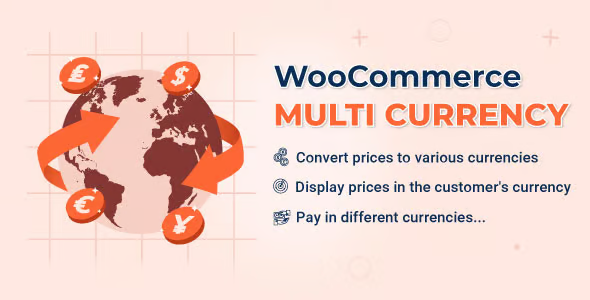
WooCommerce Multi Currency is designed for online stores that sell to customers in different countries and need to display prices in multiple currencies consistently. It addresses a very specific problem: when users see prices in a currency other than their own, it lowers trust and complicates the purchase decision. It's intended for WordPress e-commerce owners looking for price clarity, reduced friction, and increased international conversions.
What problem does it help solve?
When you work with WooCommerce and start receiving visits from various countries, the first serious obstacle arises with pricing. The catalog is set up in a single currency, but potential customers are thinking about other currencies, comparing prices with other stores, and don't know how much they'll actually pay. This small mental block often leads to abandoned shopping carts, emails asking about exchange rates, or even outright distrust of the store.
If you've ever had a customer write to you saying they "don't understand how much they'll pay in their currency," you're facing the kind of situation WooCommerce Multi Currency addresses. This plugin not only displays prices in different currencies, but also introduces specific logic into the checkout flow so users see prices and totals aligned with their context. This reduces the gap between viewing a product and deciding to pay.
In real-world projects, this problem is exacerbated when working with international advertising or country-segmented campaigns. You attract qualified traffic, but the store still operates on a single currency. All the marketing effort is undermined at the crucial moment: checkout. WooCommerce Multi Currency exists to fill this specific gap in the multinational shopping experience.
Why this solution makes a difference
The impact of WooCommerce Multi Currency is noticeable every day because it transforms how prices are perceived in your store. Instead of forcing users to mentally convert prices or search for an external converter, you present prices already adjusted to their currency. This reduces decision time, avoids distractions, and keeps their attention on your site, where the sale actually happens.
On the other hand, it gives you a level of control you don't get with manual approaches or workarounds. Instead of editing prices product by product for each market, you centralize currency logic in a single point. This reduces calculation errors, unexpected differences between products, and misunderstandings in the order total. When you start noticing that price revisions are consuming hours or that amounts aren't consistent, centralized currency management completely changes your workflow.
Furthermore, by working with a dedicated currency layer, you can plan your international strategy more clearly: deciding which currencies to display, how to present them, and how they will be reflected in the shopping cart and checkout. This reduces improvisation, avoids constant modifications to your WooCommerce settings, and allows you to focus your time on your catalog, logistics, and marketing, instead of struggling with scattered conversions.
Signs you need this product
- You started receiving visits or orders from various countries and customers are asking how much they will pay "in their currency".
- Note friction in the purchase process when the user reaches the checkout and sees a total in a currency different from what they expected.
- You have made mistakes by manually modifying prices for different markets, generating claims or subsequent adjustments.
- Your store has gone from selling locally to selling internationally, and currency management can no longer be solved with a simple informational message.
When does it make sense to use it (and when doesn't)
WooCommerce Multi Currency makes sense as soon as your store moves beyond a strictly local focus. If you cater to audiences in different countries, handle international shipping, accept payments from various locations, or invest in geo-targeted advertising, you need to present prices that customers can easily understand. This becomes apparent when your metrics show abandoned carts from specific markets or when you receive inquiries related to exchange rates and the final cost.
In projects where you only sell to one country and all your customers use the same currency, this type of additional configuration isn't necessary. In that scenario, complicating pricing with multiple currencies doesn't add real value and only increases management steps. WooCommerce Multi Currency is designed for e-commerce businesses that have already made or are about to make the leap to international sales, not for small stores with a purely local reach.
Who it fits best for
- WooCommerce store owners who sell to different countries and need to display amounts in multiple currencies without losing control over pricing.
- Agencies and professionals who manage international ecommerce projects and want a solid foundation for a multi-currency catalog without resorting to improvised solutions.
- Digital businesses with recurring customers in different regions (online training, memberships, downloadable products) that require a consistent buying experience depending on the buyer's country.
Practical benefits
- Real operational improvement by centralizing currency management and avoiding scattered manual adjustments in the catalog.
- A clearer user experience for the customer, who sees prices and totals in a currency they understand, without needing to perform external calculations.
- Greater control and organization of pricing strategy in international markets, with currency rules concentrated in a single point.
- Time savings by reducing constant checks of amounts and corrections of conversion errors.
- Reduction of errors in order totals, minimizing claims related to differences between the price seen and the price charged.
How it fits within WordPress
Within the WordPress ecosystem, WooCommerce Multi Currency acts as a dedicated layer focused on currency logic for your store. It doesn't replace the product, tax, or shipping management you already handle in WooCommerce, but rather integrates seamlessly into that workflow to manage how prices are displayed and handled in different currencies. From the admin panel, you work with your catalog and, simultaneously, define how each price will appear to international customers.
In this context, it's especially useful when you already use WordPress as the foundation for your entire e-commerce operation and want to keep management within the same environment. You avoid relying on external solutions or intermediary steps to calculate prices, and you maintain consistency between what WooCommerce stores as the base price and what the customer sees on screen in their currency.
Typical use cases
- Stores that sell physical products from a specific country but make regular shipments to various regions, and need each visitor to see prices in the currency they use daily.
- Online course projects where the target audience is spread between Latin America and Europe, and the aim is to reduce doubts about the real cost of the program in each country.
- Businesses that have started investing in location-based targeted ads are finding that performance drops when the user arrives at a catalog with a currency they don't recognize as their own.
Frequently Asked Questions about WooCommerce Multi Currency
What exactly changes in my store when using WooCommerce Multi Currency?
WooCommerce Multi Currency introduces a dedicated system for displaying prices in multiple currencies within your store. Your catalog remains defined in the primary WooCommerce currency, but visitors can see prices adjusted to another currency in the interface. This includes product prices, cart totals, and checkout amounts, ensuring a consistent shopping experience that reflects the economic realities of the customer's country.
Is it useful if I already have payment methods that accept other currencies?
Having payment gateways that accept different currencies doesn't, in itself, solve the problem of how prices are displayed before checkout. WooCommerce Multi Currency intervenes before that point, allowing the user to see amounts in their preferred currency even before reaching the payment gateway. This reduces the gap between the catalog and the checkout, and prevents conversion surprises in the final step of the purchase process.
What happens if I only sell in one country and want to maintain a single currency?
In that case, WooCommerce Multi Currency isn't necessary. If your customer base shares the same currency and your strategy doesn't include short-term international expansion, adding multi-currency management doesn't offer any real benefits. It's preferable to keep your WooCommerce simple and focus your efforts on aspects like content, catalog, and traffic acquisition, leaving multi-currency support for when your project has a broader geographic reach.
How does WooCommerce Multi Currency affect the day-to-day management of the catalog?
In your daily routine, you'll continue creating and updating products as usual in WooCommerce, working with a base currency. What changes is that WooCommerce Multi Currency handles how those prices are interpreted and displayed to users based on the configured currency. This way, you avoid duplicating products for each currency and reduce repetitive tasks related to price conversion, maintaining a clean and manageable catalog structure.
Does it make sense to use WooCommerce Multi Currency if my international traffic is still limited?
It makes sense when that international traffic, even if it's not the majority, starts to represent lost sales opportunities due to a lack of pricing clarity. If you've already experienced occasional inquiries from customers in other countries and noticed that the friction is mainly related to currency, implementing WooCommerce Multi Currency will help you prepare your store for that growth. On the other hand, if you only receive isolated visits without a clear purchase intent, it can wait.
Conclusion
WooCommerce Multi Currency is designed for when your WooCommerce store expands beyond its local focus and you need a seamless shopping experience for customers in different regions. It solves a very specific problem: the gap between the currency you sell in and the currency your customer is thinking of. If your project is already targeting multiple countries and you're starting to notice currency-related questions, doubts, or abandoned carts, establishing clear multi-currency management becomes a key step for continued, orderly growth.
Your individual purchase includes:
- Lifetime updates.*
- Product ready to use.
- Immediate access to the product.
- Clean and virus-free files.
- GNU GPL V2/V3 License
- Technical support in Spanish and English.
* In the case of memberships, the period during which you will receive updates will depend on the type of membership purchased: monthly, annual, or lifetime.
Get your questions answered here
Here you'll find answers to frequently asked questions about our service: how it works, what it includes, and how to get the most out of it.
On how many websites can I use the products?
You can use any product from our store on any website you want.
Will I get updates?
Absolutely. If you buy an individual product, you'll get lifetime updates for that product.
On the other hand, if you purchase a membership, you will receive updates until your membership expires.
What if I have a problem?
First of all, we want you to know that you can count on us. We will assist you and provide the necessary support, so you can rest assured.
On the other hand, it is important for you to know that, given the time difference between countries, your time and ours may not be the same, so we will be delayed accordingly.
Our opening hours start at 9 AM from Monday to Friday, UTC -3. We are open until around 6 PM.
Do they provide technical support?
Yes, and regarding the time, it is usually on average within 24 to 48 business hours.
However, there are times when we have already provided an answer and solution in less than a day, depending on the case.
Are there download limits?
No. We don't believe in that format, so you can download as many times as you want. No problem. We pay for high-quality professional storage precisely to avoid problems.
Do they provide license keys?
No. Giving out the keys is not a viable option, as we have had experiences where they end up circulating everywhere and we can even lose the associated accounts.
That said, all products are original and, in cases where a license key is required to function, we will take care of pre-activating them for you.
Does my purchase include an invoice?
Yes. After payment, you will be able to access your invoice immediately in the "Purchases" section of your user account.
That is why it is important that you properly complete the information requested at the time of payment.
Is there a warranty?
Yes, of course. If there's a problem we can't resolve, or if there's an external issue that doesn't have a general solution, you'll receive support and, if necessary, a full refund. We have a 14-day refund policy from the date of purchase.
- It should be noted that there is no warranty if the product works well and it simply wasn't what you wanted.
There have been instances where someone buys a product, the product works perfectly, but they don't like it and want a refund, keeping the product. That's not right.
However, everything is evaluable and reasonable. Let's use judgment together.
What are the opening hours?
Our opening hours are:
- Monday to Friday, from 9 a.m. to 6 p.m.
- Saturday and Sunday: No service.
UTC -3 time

Reviewed by the WPClub team
At WPClub, we carefully review each product before listing it. Our team evaluates its key features, compatibility, and performance to provide you with reliable, up-to-date, and helpful information when choosing and using each resource available in our store.
Download previous versions
If you have purchased this product, or have an active membership, you can download previous versions as we release them, without any limits or restrictions.
| Nombre del producto | Versión | Tamaño | Fecha | Descargar |
|---|---|---|---|---|
| No hay versiones anteriores registradas. | ||||

Our Reputation on Trustpilot
Many thanks to those who take the time to give us a rating on Trustpilot. Each and every one of your comments is very helpful to us. We strive to provide a rewarding experience for every member of our community, always with respect and care. We'll be here!






















WPClub Memberships
Access our entire catalog for a single payment. We offer three memberships: Monthly, Annual, and Lifetime (One-Time Payment).
- Save thousands of dollars
- Unlimited daily downloads
- No recurring payments
- Fast downloads by AWS
- Quality service and support, validated since 2018
- We work with love for our community