


- Secure payment
- Spanish and English support
- With you since 2018
WooCommerce Page Builder For Elementor 1.1.6.7
$29.00 El precio original era: $29.00.$5.99El precio actual es: $5.99.
Quick summary
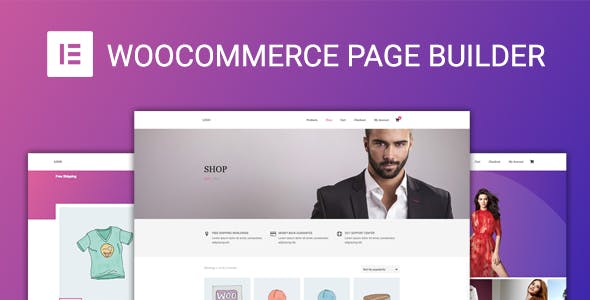
WooCommerce Page Builder for Elementor is a dedicated extension for Elementor users who want complete freedom in designing every aspect of their WooCommerce store. It allows you to visually create and customize product templates, archive pages, shopping carts, and checkout processes, without being restricted by the theme's rigid design. It's ideal for stores that require aesthetic consistency, greater control over conversion rates, and the ability to test designs without touching code.
What problem does it help solve?
The problem arises when you work with WooCommerce and discover that the store's key pages (product, cart, checkout, customer account) have a fixed structure dependent on the theme. Even using Elementor, many areas of the e-commerce site are locked, limiting the design and layout of essential elements such as calls to action, trust blocks, or persuasive content. This is especially noticeable when you try to optimize conversion and can't move, duplicate, or redesign critical sections.
If you've ever experienced a product that looks great on the homepage, but the individual product page feels generic or disconnected from the rest of the site, the problem stems from a lack of visual control over your WooCommerce templates. Poorly placed text, barely visible buttons, columns that don't align with your brand, or the absence of cross-selling sections in strategic locations all directly impact your results.
In real-world projects, this technical bottleneck translates into hours spent trying to modify theme functions, shortcodes, or code snippets to achieve minor adjustments. Every layout change in the store involves editing theme files or searching for partial solutions. WooCommerce Page Builder for Elementor was created precisely to eliminate this bottleneck and transfer the construction of store views to the visual environment you already know: Elementor.
Why this solution makes a difference
WooCommerce Page Builder for Elementor transforms how you manage your e-commerce design by centralizing visual control of your store in one place. Instead of jumping between theme settings, PHP templates, and scattered widgets, you work directly from the Elementor editor, building specific layouts for each type of page in your store. This reduces errors caused by incorrectly applied changes and makes it easier to maintain visual consistency throughout the entire customer journey.
In day-to-day use, the difference is noticeable in the speed with which you can test new product page layouts, reorganize information modules, or incorporate social proof and key benefit sections into the cart or checkout page. When you start noticing that any design change that used to take hours now takes only minutes, you understand the true impact of centralizing your WooCommerce design within Elementor.
On the other hand, having visual templates for each WooCommerce view reduces the risk of inconsistencies between pages, such as different fonts, misaligned widths, or blocks that disappear depending on the theme. The entire store environment follows the same layout logic, which improves the site's professional appearance and creates a smoother and more predictable shopping experience for the end user.
Signs you need this product
- You want to modify the structure of the WooCommerce product page (position of the title, gallery, price, description or buttons) and the theme does not allow you to do it from the visual editor.
- Notes friction when working in WordPress because the store design is fragmented between Elementor for normal pages and rigid theme settings for business sections.
- You're wasting time replicating style changes across different WooCommerce templates or fixing details that break when updating the design from the theme.
- This scenario arises when your store grows and you need to incorporate additional strategic blocks (guarantees, frequently asked questions, comparisons, product advantages) into the product page or checkout without development intervention.
When does it make sense to use it (and when doesn't)
WooCommerce Page Builder for Elementor delivers real value when your online store relies on a polished, conversion-oriented design, and when you use Elementor as your site's foundation. If you want to control the entire structure of your product, category, cart, or checkout pages from a single visual builder, this plugin fits seamlessly into your workflow.
It's also useful when you manage multiple sales landing pages and need the product page and checkout process to reflect the same visual narrative as the rest of the site. With specific templates built using Elementor, you can quickly adapt the content and layout to specific campaigns, seasons, or launches without modifying theme files.
On the other hand, you don't need to use WooCommerce Page Builder for Elementor if you're using a very basic theme with a single, simple product template and aren't concerned with design customization or conversion rate optimization. If your store only features a few products and the standard WooCommerce look is sufficient, the added value of an advanced template builder is reduced, and you can easily keep the default settings.
Who it fits best for
- Online store owners who already work with Elementor and want detailed control over the presentation of each product, without depending on developers to modify the WooCommerce layout.
- Agencies and professionals who deliver ecommerce to clients and need to create custom, reusable, and easily adjustable store designs from a familiar visual environment.
- Projects focused on marketing and conversion, where the product page, shopping cart, and checkout page are strategically designed, including elements such as testimonials, guarantees, information blocks, and urgent messages integrated into the structure.
Practical benefits
- Real operational improvement by unifying the WooCommerce design within Elementor, avoiding jumps between theme configurations and scattered settings in the panel.
- More consistent user experience for the visitor, as the entire browsing and purchasing journey maintains the same visual style, content hierarchy, and call-to-action style.
- Greater control and organization of templates, by being able to define specific layouts for individual products, product types or archive pages, keeping everything centralized in a system you know.
- Significant time savings every time you need to change the store structure, as adjustments are made visually and can be replicated to multiple products from a single template.
- Error reduction by avoiding manual modifications to theme files or code, decreasing the risk of breaking the site design or causing inconsistencies between different views.
How it fits within WordPress
Within the WordPress ecosystem, WooCommerce Page Builder for Elementor acts as a dedicated layer between WooCommerce and Elementor. WooCommerce continues to manage the catalog, orders, taxes, and all the operational aspects of the e-commerce platform, while Elementor remains the primary visual interface. This plugin bridges the gap between these two components, allowing store views to be built directly using Elementor blocks and templates.
In your daily routine, this means that when you design a new product page or want a different layout for a category of articles, you won't have to search for hidden options in the theme customizer. Instead, you'll work within the same editor you already use for the homepage, landing pages, and content pages, maintaining a consistent learning curve and a more predictable design process.
Typical use cases
- Stores selling physical or digital products that need extensive product descriptions, with explanatory sections, comparisons, and strategically placed trust blocks on the product page to support the purchase decision.
- Projects where a specific campaign is launched (for example, a limited collection or an online course) and a product and checkout design aligned with the main landing page created in Elementor is required, maintaining messages, colors and structure.
- Situations where the theme limits the presentation of the catalog, and the goal is to create product archive pages with filters, listings, and custom visual elements to improve browsing within the store.
Frequently Asked Questions about WooCommerce Page Builder for Elementor
What differentiates WooCommerce Page Builder For Elementor from using Elementor alone with WooCommerce?
When using Elementor exclusively with WooCommerce, many sections of the store remain dependent on theme templates and cannot be visually modified. WooCommerce Page Builder for Elementor adds the ability to create and manage specific templates for product pages, archives, cart, and checkout directly from the Elementor editor. This gives you direct access to the structure of these views, allowing you to decide what to display, in what order, and with what design, without any technical edits to theme files.
Can I create different designs for different types of products with WooCommerce Page Builder for Elementor?
WooCommerce Page Builder for Elementor is designed to help you define custom templates for your store's product pages. Within this framework, you have the flexibility to organize content differently depending on the product type or your sales strategy. This allows you to create a more extensive structure for information-rich articles and a more streamlined one for simpler products, all while maintaining complete control from within the visual editor.
How does WooCommerce Page Builder for Elementor help improve my store's conversion rate?
Improved conversion rates come from being able to place each key sales element precisely where it has the greatest impact. With WooCommerce Page Builder for Elementor, you can reorganize blocks such as testimonials, warranties, trust icons, FAQs, and product benefits within the product page and checkout process. By removing theme restrictions, you can adjust the visual hierarchy to highlight price, the buy button, and value propositions in the order that best suits your strategy.
Is WooCommerce Page Builder for Elementor useful if I already have a specific WooCommerce theme?
Even with a WooCommerce-ready theme, its customization capabilities are often limited by the theme's built-in options. WooCommerce Page Builder for Elementor is useful when those options don't allow you to achieve the exact design you're looking for, or when you want to give Elementor complete control. If your theme already meets your needs and you don't plan to modify your store's page structure, then this plugin will offer less added value.
What happens to my existing store pages when I start using WooCommerce Page Builder for Elementor?
By incorporating WooCommerce Page Builder for Elementor, you can decide which store views will use templates created with Elementor. This allows you to migrate the design gradually, starting with the product page, then the cart, or finally the checkout, depending on your priority. Until you assign a new template to a specific WooCommerce page, it will continue using its existing structure, so you can plan the redesign without disrupting the store's functionality.
Conclusion
WooCommerce Page Builder for Elementor is designed for those who need their WooCommerce store design to be driven by conversion goals, not limited by a theme. If you've ever found that the visual editor falls short on the pages where sales are most crucial, integrating this dedicated builder allows you to regain control. With unified layout within Elementor, daily WordPress workflows are simplified, and every design adjustment to your store becomes faster, clearer, and more aligned with your business objectives.
Your individual purchase includes:
- Lifetime updates.*
- Product ready to use.
- Immediate access to the product.
- Clean and virus-free files.
- GNU GPL V2/V3 License
- Technical support in Spanish and English.
* In the case of memberships, the period during which you will receive updates will depend on the type of membership purchased: monthly, annual, or lifetime.
Get your questions answered here
Here you'll find answers to frequently asked questions about our service: how it works, what it includes, and how to get the most out of it.
On how many websites can I use the products?
You can use any product from our store on any website you want.
Will I get updates?
Absolutely. If you buy an individual product, you'll get lifetime updates for that product.
On the other hand, if you purchase a membership, you will receive updates until your membership expires.
What if I have a problem?
First of all, we want you to know that you can count on us. We will assist you and provide the necessary support, so you can rest assured.
On the other hand, it is important for you to know that, given the time difference between countries, your time and ours may not be the same, so we will be delayed accordingly.
Our opening hours start at 9 AM from Monday to Friday, UTC -3. We are open until around 6 PM.
Do they provide technical support?
Yes, and regarding the time, it is usually on average within 24 to 48 business hours.
However, there are times when we have already provided an answer and solution in less than a day, depending on the case.
Are there download limits?
No. We don't believe in that format, so you can download as many times as you want. No problem. We pay for high-quality professional storage precisely to avoid problems.
Do they provide license keys?
No. Giving out the keys is not a viable option, as we have had experiences where they end up circulating everywhere and we can even lose the associated accounts.
That said, all products are original and, in cases where a license key is required to function, we will take care of pre-activating them for you.
Does my purchase include an invoice?
Yes. After payment, you will be able to access your invoice immediately in the "Purchases" section of your user account.
That is why it is important that you properly complete the information requested at the time of payment.
Is there a warranty?
Yes, of course. If there's a problem we can't resolve, or if there's an external issue that doesn't have a general solution, you'll receive support and, if necessary, a full refund. We have a 14-day refund policy from the date of purchase.
- It should be noted that there is no warranty if the product works well and it simply wasn't what you wanted.
There have been instances where someone buys a product, the product works perfectly, but they don't like it and want a refund, keeping the product. That's not right.
However, everything is evaluable and reasonable. Let's use judgment together.
What are the opening hours?
Our opening hours are:
- Monday to Friday, from 9 a.m. to 6 p.m.
- Saturday and Sunday: No service.
UTC -3 time

Reviewed by the WPClub team
At WPClub, we carefully review each product before listing it. Our team evaluates its key features, compatibility, and performance to provide you with reliable, up-to-date, and helpful information when choosing and using each resource available in our store.
Download previous versions
If you have purchased this product, or have an active membership, you can download previous versions as we release them, without any limits or restrictions.
| Nombre del producto | Versión | Tamaño | Fecha | Descargar |
|---|---|---|---|---|
| No hay versiones anteriores registradas. | ||||

Our Reputation on Trustpilot
Many thanks to those who take the time to give us a rating on Trustpilot. Each and every one of your comments is very helpful to us. We strive to provide a rewarding experience for every member of our community, always with respect and care. We'll be here!






















WPClub Memberships
Access our entire catalog for a single payment. We offer three memberships: Monthly, Annual, and Lifetime (One-Time Payment).
- Save thousands of dollars
- Unlimited daily downloads
- No recurring payments
- Fast downloads by AWS
- Quality service and support, validated since 2018
- We work with love for our community