
WP Dark Mode 4.0.16


- Secure Payment
- Support from Monday to Friday
- With you since 2018
$49.00 El precio original era: $49.00.$5.99El precio actual es: $5.99.
Quick summary
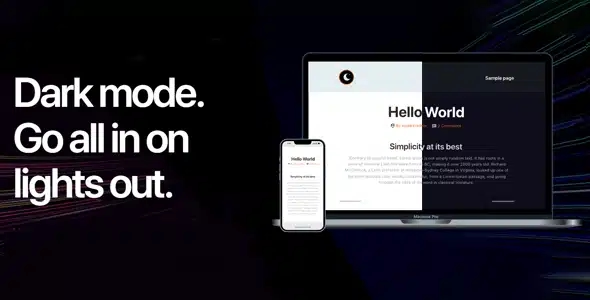
WP Dark Mode is a WordPress extension designed to add a true and usable dark mode to your site, both on the front end and in the user's browsing environment. It addresses the need for a comfortable viewing experience on screens for extended periods, reducing eye strain and improving nighttime reading. It's especially useful for content-heavy websites, blogs, online stores, and projects where user engagement is key.
What problem does it help solve?
In WordPress projects with high traffic, the standard light-background design can become uncomfortable for some users. Those browsing at night, on mobile devices, or with visual sensitivity tend to leave more quickly when the contrast is too harsh. If you've already received requests for a "dark" version of your website or noticed low dwell times on long pages, the problem isn't just with the content, but also with readability.
Furthermore, manually creating a dark mode often involves custom stylesheets, template-specific adjustments, reviewing each button and block, testing on multiple devices, and continuous corrections when changing themes or adding new elements. In this context, maintaining visual consistency between light and dark modes ends up consuming hours that could be dedicated to sales, content, or business optimization. WP Dark Mode addresses precisely this issue: enabling and managing a dark theme without having to redo your design from scratch.
Why this solution makes a difference
The practical difference of WP Dark Mode lies in how it integrates a dark color scheme without forcing you to redesign your entire website. Instead of rebuilding templates, it focuses on adapting the user interface while maintaining your existing structure. In real-world projects, this means you can add a consistent nighttime reading experience while continuing to use your current theme, page builder, or content management system.
On the other hand, when you manage multiple sections—blog, shop, and landing pages—within the same WordPress site, repeating style settings for each view becomes impractical. With WP Dark Mode, you centralize the dark mode logic, reducing visual errors, poorly resolved contrasts, and illegible elements on certain pages. The daily impact is clear: less manual design support, fewer page-by-page revisions, and more comfortable navigation for those who spend real time consuming your content or browsing products.
Signs you need this product
- When you start noticing that users tell you that your website is "eye strain" on dark screens or at night.
- If you've ever tried a homemade dark mode with CSS and discovered buttons, icons, or text that disappear or become illegible.
- When you find that adjusting colors for night mode on each new page or section takes up too much of your operating time.
- If your site includes a lot of long content (articles, documentation, products with extensive descriptions) and you want it to be comfortable to read during long sessions.
When does it make sense to use it (and when doesn't)
WordPress Dark Mode provides real value when your audience spends several minutes on your website, reads lengthy texts, or browses at night from mobile devices and desktops. In this scenario, offering a well-implemented dark mode improves brand perception, reduces eye strain, and encourages users to stay longer. It's also a good fit if you want your project to align with modern interfaces, which typically allow users to change color schemes with a simple gesture.
This type of tool isn't strictly necessary when working with very short micro-landing pages, without extended reading or dense content, where the user only performs a quick action (for example, filling out a short form). It's also not a priority if your strategy is based almost exclusively on one-off campaigns and not recurring visits. In those cases, incorporating a dark mode will have less direct impact on relevant metrics.
Who it fits best for
- Owners of blogs, digital magazines or news portals where the user consumes several articles in a row and reading comfort affects the time spent on the site.
- WordPress online store owners who want their catalog to be pleasant to browse at night, avoiding excessive brightness and annoying contrasts.
- Marketing professionals, designers, and developers who manage multiple WordPress projects and are looking for a consistent way to offer dark mode without designing each view separately.
Practical benefits
- Real operational improvement: you centralize the behavior of dark mode without having to manually edit each template or section of your website.
- User experience: the visitor perceives a modern, comfortable website that adapts to different lighting contexts, which encourages longer sessions.
- Control and organization: You manage dark mode from a single point, with clear criteria on how texts, backgrounds and visual elements are presented.
- Time saving: You reduce CSS testing and corrections specific to each new page, post, or component you add to your WordPress site.
- Error reduction: You minimize illegible areas, missing icons, or unexpected color combinations that appear when a dark mode is implemented haphazardly.
How it fits within WordPress
In a typical WordPress workflow, you spend most of your time creating content, fine-tuning the overall design, and managing the navigation structure. WP Dark Mode sits in a secondary layer: it doesn't replace your theme or page builder, but rather adapts the visual appearance to a dark theme when the user requests it. This allows you to maintain the logic of your templates, menus, and widgets as they are, but with a complementary, more visually appealing experience.
When working with WordPress, it's common to combine different blocks, shortcodes, and visual modules. Each uses its own styles, and replicating a consistent dark mode across all of them is often complex. WP Dark Mode addresses this very issue, ensuring that the transition between light and dark modes doesn't break the visual consistency between sections, forms, product pages, and informational pages.
Typical use cases
- A WordPress-based e-commerce site for technology products where most purchases are made at night; offering a dark mode makes it easier for customers to review technical specifications and comparisons without eye strain.
- A blog specializing in programming or design where readers consult long articles with code snippets; dark mode improves readability on monitors during extended use.
- An online academy based on WordPress where students access training content late in the day; enabling a darker environment makes reviewing lessons, notes, and supplementary materials more pleasant.
Frequently asked questions about WP Dark Mode
What differentiates WP Dark Mode from using only manual CSS changes?
Manually modifying CSS to achieve a dark mode involves reviewing every template, block, and visual component—a task that becomes difficult to maintain as the project grows. WP Dark Mode streamlines this process into a dedicated system for managing the dark theme, eliminating the need to edit individual styles and reducing the risk of illegible areas, low-contrast backgrounds, and buttons becoming invisible when switching to a dark background.
Is WP Dark Mode useful if my website has few pages but a lot of text?
On websites with few sections but dense text or long reading times, WordPress Dark Mode is especially relevant. Even with a simple navigation map, readers spend more time on each page, and a well-implemented dark mode reduces eye strain. This is common on documentation websites, user guides, or training materials, where greater reading comfort encourages users to consult the material more attentively and for longer periods.
How does WP Dark Mode affect my brand perception?
By incorporating a consistent dark mode, your brand is perceived as attentive to the digital experience and attuned to current technology usage habits. Many users are accustomed to switching between light and dark modes on their devices and applications. Offering this option on your website demonstrates attention to detail and a concern for visitor comfort, which sets your project apart from other sites with rigid and inconvenient designs at night.
Does WP Dark Mode make sense if my audience primarily accesses it from mobile?
When a significant portion of traffic comes from mobile devices, screen brightness is perceived much more intensely in dark environments. In this context, WP Dark Mode helps make your content more pleasant to read in dimly lit rooms or at night, reducing the discomfort caused by a bright white background. This is especially noticeable on blogs, online stores with many photos and product descriptions, and content platforms where users spend several minutes at a time reviewing information on their phones.
When can I do without WP Dark Mode without affecting my results?
You can forgo a dark mode layer when your WordPress site has very quick interactions and no extended reading time—for example, a minimalist page with a single short form or a landing page focused on immediate clicks. If your users don't spend enough time on the site for eye strain to be an issue, the priority will shift to other elements like page load speed, message clarity, or conversion optimization, and the impact of dark mode will be less critical.
Conclusion
WordPress Dark Mode exists to solve a very specific problem: providing a comfortable visual experience in real-world usage scenarios, where your visitors browse at night, on bright screens, and during extended sessions. If your project relies on users reading, comparing, or learning within your WordPress site, incorporating a well-managed dark mode becomes a practical factor in maintaining attention and protecting your site's long-term image.
Latest update:

Written by: WPClub
With over seven years of experience curating, managing, and distributing GPL products, our content is based on hands-on experience, technical review, testing, and feedback from thousands of users. We aim to democratize and simplify the WordPress world so you can choose with confidence, speed, and ease.
Your Individual Purchase Includes:
- Lifetime updates.*
- Official product, ready to use.
- Immediate access to the product.
- Clean and virus-free files.
- GNU GPL V2/V3 License
- Technical support in Spanish and English.
* In the case of memberships, the period during which you will receive updates will depend on the type of membership purchased: monthly, annual, or lifetime.
Notify Update
We update products Monday through Friday. However, if the product you see is not yet updated, you can notify us so we can prioritize updating it whenever possible.
Get your questions answered here
Here you'll find answers to frequently asked questions about our service: how it works, what it includes, and how to get the most out of it.
On how many websites can I use the products?
You can use any product from our store on any website you want.
Will I get updates?
Absolutely. If you buy an individual product, you'll get lifetime updates for that product.
On the other hand, if you purchase a membership, you will receive updates until your membership expires.
What if I have a problem?
First of all, we want you to know that you can count on us. We will assist you and provide the necessary support, so you can rest assured.
On the other hand, it is important for you to know that, given the time difference between countries, your time and ours may not be the same, so we will be delayed accordingly.
Our opening hours start at 9 AM from Monday to Friday, UTC -3. We are open until around 6 PM.
Do they provide technical support?
Yes, and regarding the time, it is usually on average within 24 to 48 business hours.
However, there are times when we have already provided an answer and solution in less than a day, depending on the case.
Are there download limits?
No. We don't believe in that format, so you can download as many times as you want. No problem. We pay for high-quality professional storage precisely to avoid problems.
Do they provide license keys?
No. Giving out the keys is not a viable option, as we have had experiences where they end up circulating everywhere and we can even lose the associated accounts.
That said, all products are original and, in cases where a license key is required to function, we will take care of pre-activating them for you.
Does my purchase include an invoice?
Yes. After payment, you will be able to access your invoice immediately in the "Purchases" section of your user account.
That is why it is important that you properly complete the information requested at the time of payment.
Is there a warranty?
Yes, of course. If there's a problem we can't resolve, or if there's an external issue that doesn't have a general solution, you'll receive support and, if necessary, a full refund. We have a 14-day refund policy from the date of purchase.
- It should be noted that there is no warranty if the product works well and it simply wasn't what you wanted.
There have been instances where someone buys a product, the product works perfectly, but they don't like it and want a refund, keeping the product. That's not right.
However, everything is evaluable and reasonable. Let's use judgment together.
What are the opening hours?
Our opening hours are:
- Monday to Friday, from 9 a.m. to 6 p.m.
- Saturday and Sunday: No service.
UTC -3 time

Our Reputation on Trustpilot
Many thanks to those who take the time to give us a rating on Trustpilot. Each and every one of your comments is very helpful to us. We strive to provide a rewarding experience for every member of our community, always with respect and care. We'll be here!






















WPClub Memberships
Access our entire catalog for a single payment. We offer three memberships: Monthly, Annual, and Lifetime (One-Time Payment).
- Save thousands of dollars
- Unlimited daily downloads
- No recurring payments
- Fast downloads by AWS
- Quality service and support, validated since 2018
- We work with love for our community