
WP File Manager Pro 8.4.3


- Secure Payment
- Support from Monday to Friday
- With you since 2018
$25.00 El precio original era: $25.00.$5.99El precio actual es: $5.99.
Quick summary
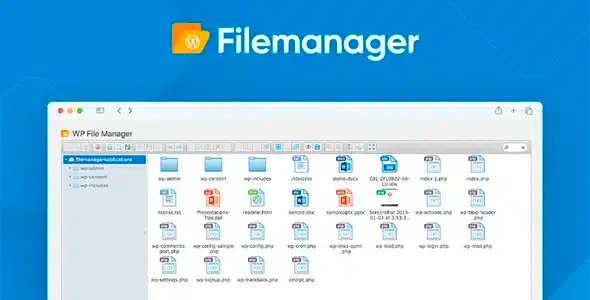
WP File Manager Pro is a file manager integrated into the WordPress dashboard that allows you to access, modify, move, and organize server content without leaving the admin panel. It's designed for those who frequently need to work with files but don't want to constantly rely on FTP or external access. It's especially useful for agencies, developers, implementers, and site managers who handle multiple projects or online stores.
What problem does it help solve?
In real-world projects, one of the biggest roadblocks occurs when you need to modify a file, review logs, compress a folder, or upload a specific resource, and you only have two options: request access to the hosting or open an FTP client. This disrupts the workflow, introduces waiting, and increases the likelihood of errors when modifying paths or permissions without visual context within WordPress.
If you've ever had a team member send you an urgent message saying "something's broken" and you're reliant on FTP access, having to find the right folder and remember directory structures, you know this frustration all too well. In that situation, any simple adjustment becomes a minor technical task that delays other, more strategic activities.
WP File Manager Pro addresses precisely this situation: it centralizes website file management in a familiar interface, accessible directly from the WordPress dashboard. Tasks that previously required switching tools, remembering external credentials, or coordinating with the hosting provider can now be handled from a single location, with a direct view of the folders that actually affect the project.
Why this solution makes a difference
When working with WordPress, every minute you spend jumping between FTP, the hosting control panel, and the admin area is time you could be using to optimize content, improve conversions, or review metrics. The practical difference with WP File Manager Pro is that it transforms server operations into everyday actions within the same site management workflow.
When you start noticing that changing a minor configuration file, cleaning up a folder of old backups, or moving a media asset requires opening multiple applications, this extension simplifies the process. The impact is especially noticeable for teams managing multiple sites: it reduces errors caused by confusing servers, minimizes unnecessary file movements, and provides a consistent view of what's happening in key project folders.
On the other hand, working with files from within WordPress provides context: you see the entire site environment while making changes, which helps you make more informed decisions about what to touch and what not to. It's not just about "opening files," but about ensuring that basic technical management fits seamlessly into daily operations without becoming a barrier.
Signs you need this product
- You need to connect via FTP several times a week for simple tasks such as downloading, renaming, or moving files within the project.
- There is recurring friction between those who manage content on WordPress and those who have access to the server, because any minor change requires asking for external help.
- You start wasting time looking for folder paths, confusing environments, or switching between different panels just to check a specific file.
- Your site or network of sites is growing, and file management is no longer limited to uploading images, but includes backups, configuration adjustments, and the organization of more complex structures.
When does it make sense to use it (and when doesn't)
WP File Manager Pro delivers real value when accessing server files is a regular part of your WordPress workflow. Whether you review or modify templates, manage backup folders, work with configuration files, organize downloadable documents, or simply need more direct control over your site's directory, having a built-in file manager streamlines your workflow and reduces dependencies.
This becomes necessary when your project evolves from a simple static blog to one that integrates multiple layers: e-commerce, private areas, external integrations, or custom developments. At this point, the ability to navigate folders without leaving the dashboard becomes a natural part of maintenance.
On the other hand, if you manage a very simple website where you never access files outside the media library and everything is handled through the content editor, this type of tool isn't essential. It also makes less sense if you prefer to keep all file management delegated to an external technical team and don't want to interact directly with the server structure.
Who it fits best for
- Professionals who manage multiple WordPress sites and need a quick and centralized way to review files without relying on multiple FTP accesses.
- Agencies and studios that work with client projects, where it is common to adjust configurations, clean folders, manage downloads and keep the server environment organized.
- Technical managers or implementers who provide continuous support to online stores, memberships or training platforms, and require frequent access to the internal structure of the site for diagnostics and maintenance tasks.
Practical benefits
- Real operational improvement by grouping site management and file access in one place, avoiding constant tool changes and reducing intermediate steps.
- A smoother user experience, with an interface that maintains the WordPress context as you navigate through folders and perform actions on documents, templates, or resources.
- Greater control and organization of the project structure, allowing quick identification of which directories are taking up space, where certain key files are located, and which elements should be sorted or cleaned up.
- Time savings on repetitive tasks, such as downloading logs, deleting old copies, moving packages between folders, or adjusting specific files without having to locate the correct server each time.
- Reduction of errors associated with confusing environments or manipulating directories of another project, since everything is managed from the panel of the site you are working on.
How it fits within WordPress
Within the WordPress ecosystem, WP File Manager Pro acts as a direct management panel for the site's file space, complementing the admin area and media library. While the native manager focuses on images and documents associated with posts or pages, this system extends its scope to the entire directory structure, allowing you to operate at a deeper level without leaving the dashboard.
In the workflow, it's typically positioned between technical maintenance and content management tasks. For example, you can review a downloads folder, clean up unused files, reorganize resources for a new design, or prepare directories for external integration—all from the same place where you review orders, manage users, or adjust site settings.
This makes project management more consistent: basic technical decisions are made by looking at the entire WordPress environment, which fosters a clearer view of how each file fits into the overall dynamics of the site.
Typical use cases
- File management in ecommerce where you need to review log directories, download packages, legal documents or resources associated with products without depending on the hosting panel each time.
- Practical case of maintenance in client projects: quickly accessing child theme folders, reorganizing templates, cleaning temporary files and preparing structures for new functionalities from the site's own dashboard.
- This situation provides direct value when you manage a network of projects and want to ensure that each site maintains its structured organization, with optimized space and no forgotten folders that no one has monitored for months.
Frequently Asked Questions about WP File Manager Pro
How does WP File Manager Pro differ from using a traditional FTP client?
The main difference lies in context and accessibility. An FTP client requires setting up connections, remembering credentials, and switching between different servers if you manage multiple projects. WP File Manager Pro integrates file access directly into the WordPress dashboard of the specific site you're managing. This avoids confusion between environments, reduces technical steps, and allows you to manage directories while viewing the rest of your project options, without switching applications.
Is it useful if I already have access to the hosting control panel to manage files?
Even with access to your hosting control panel, WP File Manager Pro is practical when you want to keep all your work focused on WordPress. The provider's panel usually shows a more generic view of the server, requiring you to locate your site's folder each time. Here, however, you're directly in your project environment, with a view focused on that specific site. This saves time on small tasks and avoids constantly accessing external interfaces just for minor adjustments.
What advantages does it offer in client projects managed by an agency?
In an agency, the volume of websites and the constant turnover of tasks mean that every extra access to a server can be a source of friction. WP File Manager Pro allows the technical team to manage files for each project directly from the client's WordPress dashboard, without having to open multiple tools or share additional hosting details. This simplifies maintenance, speeds up response to issues, and improves internal control over what is accessed on each site, reducing confusion between projects.
Does it make sense to use it if I rarely modify files outside of the media library?
If your work is almost entirely limited to creating posts, pages, and uploading images or documents through the standard library, WP File Manager Pro offers less. Its value is maximized when you need to access internal folders, review structures, clean up auxiliary files, or prepare directories for further development. If your site is very simple and you never manage internal files, the native file manager and your current workflow may be sufficient without adding this extra layer.
How does it help with maintenance and organization tasks within the server?
In ongoing maintenance, many tasks focus on organizing and reviewing what's taking up space or creating clutter on the server. WP File Manager Pro makes it easy to identify outdated folders, delete temporary files, manage backup packages, reorganize downloadable documents, and maintain a clear structure. Everything is done directly from within WordPress, allowing you to integrate these cleanup tasks into your regular administration routine, rather than making them separate processes that get postponed due to lack of time.
Conclusion
WP File Manager Pro is designed for those who frequently need access to their WordPress site's internal file structure and want to do so without leaving the admin panel. It reduces external dependencies, clarifies your working context, and streamlines daily file maintenance, organization, and review tasks.
If you manage projects where server access is part of your routine, integrating a file manager within WordPress helps to remove that technical aspect from the bottleneck and make it just another activity within the normal site administration workflow.
Latest update:

Written by: WPClub
With over seven years of experience curating, managing, and distributing GPL products, our content is based on hands-on experience, technical review, testing, and feedback from thousands of users. We aim to democratize and simplify the WordPress world so you can choose with confidence, speed, and ease.
Your Individual Purchase Includes:
- Lifetime updates.*
- Official product, ready to use.
- Immediate access to the product.
- Clean and virus-free files.
- GNU GPL V2/V3 License
- Technical support in Spanish and English.
* In the case of memberships, the period during which you will receive updates will depend on the type of membership purchased: monthly, annual, or lifetime.
Notify Update
We update products Monday through Friday. However, if the product you see is not yet updated, you can notify us so we can prioritize updating it whenever possible.
Get your questions answered here
Here you'll find answers to frequently asked questions about our service: how it works, what it includes, and how to get the most out of it.
On how many websites can I use the products?
You can use any product from our store on any website you want.
Will I get updates?
Absolutely. If you buy an individual product, you'll get lifetime updates for that product.
On the other hand, if you purchase a membership, you will receive updates until your membership expires.
What if I have a problem?
First of all, we want you to know that you can count on us. We will assist you and provide the necessary support, so you can rest assured.
On the other hand, it is important for you to know that, given the time difference between countries, your time and ours may not be the same, so we will be delayed accordingly.
Our opening hours start at 9 AM from Monday to Friday, UTC -3. We are open until around 6 PM.
Do they provide technical support?
Yes, and regarding the time, it is usually on average within 24 to 48 business hours.
However, there are times when we have already provided an answer and solution in less than a day, depending on the case.
Are there download limits?
No. We don't believe in that format, so you can download as many times as you want. No problem. We pay for high-quality professional storage precisely to avoid problems.
Do they provide license keys?
No. Giving out the keys is not a viable option, as we have had experiences where they end up circulating everywhere and we can even lose the associated accounts.
That said, all products are original and, in cases where a license key is required to function, we will take care of pre-activating them for you.
Does my purchase include an invoice?
Yes. After payment, you will be able to access your invoice immediately in the "Purchases" section of your user account.
That is why it is important that you properly complete the information requested at the time of payment.
Is there a warranty?
Yes, of course. If there's a problem we can't resolve, or if there's an external issue that doesn't have a general solution, you'll receive support and, if necessary, a full refund. We have a 14-day refund policy from the date of purchase.
- It should be noted that there is no warranty if the product works well and it simply wasn't what you wanted.
There have been instances where someone buys a product, the product works perfectly, but they don't like it and want a refund, keeping the product. That's not right.
However, everything is evaluable and reasonable. Let's use judgment together.
What are the opening hours?
Our opening hours are:
- Monday to Friday, from 9 a.m. to 6 p.m.
- Saturday and Sunday: No service.
UTC -3 time

Our Reputation on Trustpilot
Many thanks to those who take the time to give us a rating on Trustpilot. Each and every one of your comments is very helpful to us. We strive to provide a rewarding experience for every member of our community, always with respect and care. We'll be here!






















WPClub Memberships
Access our entire catalog for a single payment. We offer three memberships: Monthly, Annual, and Lifetime (One-Time Payment).
- Save thousands of dollars
- Unlimited daily downloads
- No recurring payments
- Fast downloads by AWS
- Quality service and support, validated since 2018
- We work with love for our community