



As content grows, website problems become more than just design issues; they also include how to display everything clearly: endless lists, inflexible archive pages, slow or nonexistent filters, and users getting lost before finding what they're looking for. The WP Grid Builder Plugin is designed precisely to solve these problems without requiring any coding knowledge.
In our experience, WP Grid Builder Plugin is a premium WordPress plugin that allows you to create dynamic and filterable content grids without writing any code, using AJAX for real-time filtering. It's extremely versatile: it works with blog posts, WooCommerce products, portfolios, custom listings, and virtually any type of content, and it integrates seamlessly with modern themes and page builders like Elementor, Oxygen, and Bricks.
If you want your website to go from a "basic list of posts" to a modern, fast, and visually appealing browsing experience, the WP Grid Builder Plugin is one of the most direct ways to achieve this from within WordPress.
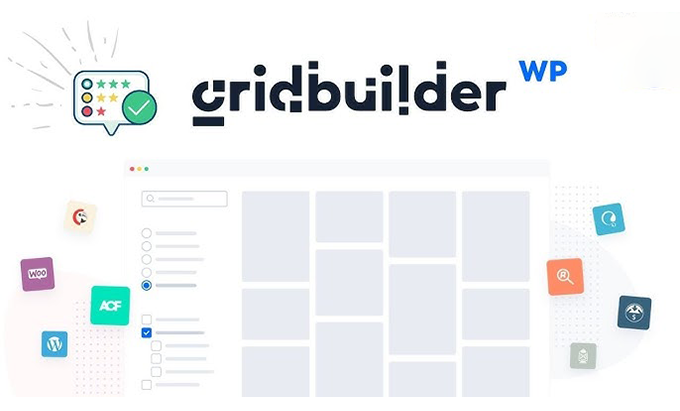
What is the WP Grid Builder Plugin and how does it fit into your site?
A premium plugin for dynamic and filterable grids
WP Grid Builder Plugin is a paid plugin designed to create advanced grids without writing a single line of code. The idea is simple: you define what content you want to display (products, posts, projects, etc.), how you want to present it (columns, cards, styles), and what filters you want to offer the user (categories, tags, prices, dates, etc.), and the plugin takes care of the rest.
In our experience, WP Grid Builder Plugin stands out because it takes the concept of "content listing" to a whole new level: it's no longer just about displaying a list, but about allowing the user to quickly and visually explore, filter, and sort, with results that are updated instantly thanks to the use of AJAX.
The result is a browsing experience designed for the modern user, accustomed to fluid interfaces where they don't have to reload the page with every click.
From flat lists to smart grids
Without the WP Grid Builder Plugin, you typically rely on the theme's archive pages or very basic shortcodes, which display list after list without many filtering options. As your catalog or blog grows, this structure becomes inadequate.
With the WP Grid Builder Plugin, those listings are transformed into smart grids:
Content cards with image, title, metadata, and action buttons.
Combinable filters that allow you to refine results based on multiple criteria.
Sort by date, price, popularity, or custom fields.
Infinite pagination or loading to avoid overwhelming with too much content at once.
In our experience, the leap in usability is noticeable from the very first moment: users find what they are looking for faster and the website feels much more modern and polished.
Main benefits of using the WP Grid Builder Plugin
Real-time AJAX filtering without reloading the page
One of the most noticeable benefits of the WP Grid Builder Plugin is real-time filtering. When a user selects a category, adjusts a price range, or combines multiple filters, the grid updates instantly via AJAX, without reloading the entire page.
In our experience, this has a direct impact on:
The feeling of speed on the web.
The ease of navigating through many results.
The probability that the user will continue exploring instead of abandoning.
Real-time filtering turns a simple listing into a discovery tool, something especially useful in online stores, directories, and large portfolios.
It works with any type of WordPress content.
The WP Grid Builder Plugin isn't limited to blog posts or WooCommerce products: it can be used with virtually any type of content you have in WordPress, including:
Standard entries and pages
WooCommerce Products
Portfolio projects
Courses, property listings, directories, events
Custom post types created by other plugins or custom-made
In our experience, this flexibility makes the WP Grid Builder Plugin useful for both online stores and more complex projects: academies, membership sites, business directories, agency websites, etc. As long as the content exists in WordPress, the plugin can convert it into a filterable grid.
Better user experience and more conversion opportunities
When content is presented clearly and is easy to filter, users find what they're interested in faster. This translates to:
Longer stay
Fewer bounces on archive pages
Higher likelihood of clicking on relevant products, projects, or articles
In our experience, the WP Grid Builder Plugin helps the website structure support business objectives: in an ecommerce site, it guides users to relevant products; in a portfolio, it makes it easier for clients to see the work that best matches their needs; in a blog, it helps find articles by topic or level of detail.
WP Grid Builder Plugin makes navigation proactive: the user plays with filters and results instead of simply scrolling.
Key features of the WP Grid Builder Plugin
Visual grid builder
The WP Grid Builder Plugin includes a visual grid builder that allows you to define:
Number of columns and responsive behavior
Spacing between cards and alignments
What elements to display on each card (image, title, summary, price, metadata, buttons, etc.)
Basic styles of typography, colors, and backgrounds
In our experience, the visual approach makes setting up the WP Grid Builder Plugin much more intuitive than dealing with shortcodes or rigid templates. You can iterate quickly: try out layouts, change the order of elements, and adjust details until the grid looks the way you want.

Advanced filters and facets for the user
In addition to grids, the WP Grid Builder Plugin allows you to add filters (facets) that users can use to refine the results. These filters can be based on:
Custom categories, tags, and taxonomies
Price range for WooCommerce products
Product attributes (sizes, colors, brands)
Dates or custom fields defined on the site
In our experience, these features make WP Grid Builder Plugin more than just a simple "sampler": they allow you to build a genuine guided search experience within the website, ideal for large catalogs or highly segmented content.
Integration with modern page builders
The WP Grid Builder Plugin is compatible with several popular themes and page builders, such as Elementor, Oxygen, and Bricks, and works seamlessly with the WordPress block editor. This means you can:
Insert grids and filters as widgets or blocks within your designs.
Combine WP Grid Builder Plugin with templates made in Elementor, Oxygen or Bricks.
Maintain a consistent visual structure throughout the website, using the builder you already know.
In our experience, this compatibility greatly reduces friction: you don't have to abandon the design ecosystem you already use. The WP Grid Builder Plugin integrates seamlessly into your workflow.
Performance and load controls
When it comes to dynamic grids and AJAX filtering, performance matters. The WP Grid Builder Plugin is designed to efficiently handle content queries and load only what's needed for each interaction.
In our experience, this is especially noticeable in:
Initial grid load (without excessive waiting).
Response when changing filters or paginating results.
Behavior on mobile devices, where everything should feel seamless.
A website with a properly configured WP Grid Builder Plugin can display many elements without making the experience heavy or slow.
How to work with the WP Grid Builder Plugin step by step
Define what content you want to promote
Before opening settings, it's best to be clear about which part of your site will benefit from the WP Grid Builder Plugin. Some typical examples:
List of products from a category or the entire catalog
Project portfolio, filtered by type of work, sector or technology
Blog or resources section, filtered by topic and level
Directory of properties, professionals, courses, or other items
In our experience, when you clearly define the objective (for example, "making it easier for them to find the right product" or "clearly showcasing our projects by type"), setting up the WP Grid Builder Plugin is much simpler and the result fits the actual needs of the site better.
Create your first grid step by step
The typical process for creating a grid with the WP Grid Builder Plugin usually follows a logic similar to:
Create a new grid from the plugin panel.
Choose the content source (entries, products, a custom post type, etc.).
Define basic criteria: categories, number of items per page, default order.
Adjust the layout: columns, card design, visible elements.
Configure responsive options so that the grid looks good on mobile and tablet.
Save and generate the shortcode or block to insert it where appropriate.
In our experience, the first grid serves as a laboratory: once you understand the flow with the WP Grid Builder Plugin, duplicating and adapting grids for other sections of the website becomes much faster.
Add filters and facets to the experience
After building the grid, it's time to add filters so users can refine their results. With the WP Grid Builder Plugin you can:
Create facets based on taxonomies (categories, tags, attributes).
Define whether the filters will be checkboxes, lists, selectors, sliders, etc.
Indicate how the filters are combined (e.g., intersection between categories and price ranges).
Place the filters before, next to, or above the grid, depending on the design.
In our experience, filters should provide clarity, not noise. With the WP Grid Builder Plugin, it's worth starting with a few highly relevant filters and expanding later if needed. The important thing is that the user understands at a glance how to refine the results.
Integrate the grid into your current layout
Once the grid and facets are ready, all that remains is to insert them into the corresponding pages. Thanks to its integration with themes and page builders, the WP Grid Builder Plugin allows you to:
Insert as a shortcode on any page or template.
Use as a widget or element in layout builders such as Elementor, Oxygen or Bricks.
Combine with text sections, banners, forms, and other design elements.
In our experience, grids created with the WP Grid Builder Plugin should ideally be the focal point of the page where they are inserted. For example, on a "Shop," "Portfolio," or "Directory" page, it should be very clear that the grid is the primary navigation tool.

Use cases for the WP Grid Builder Plugin
WooCommerce stores with many products
In a store with many products, the way the catalog is displayed and filtered has a direct impact on sales. The WP Grid Builder Plugin fits especially well with WooCommerce when:
There are many categories and subcategories.
There are relevant attributes (size, color, brand, materials).
You need to filter by price ranges, stock, or other characteristics.
In our experience, by combining WP Grid Builder Plugin with WooCommerce, the shop page ceases to be a simple listing and becomes a navigable catalog, where the user can find exactly what they want by applying filters in real time.
Portfolios of agencies, freelancers and creatives
For portfolios of design, photography, development, architecture, or other creative work, the WP Grid Builder Plugin allows you to showcase projects with:
Attractive featured images
Filters by project type, sector, or technology used
Combination of thumbnails, titles, and tags
Layouts that adapt to both desktops and mobile devices
In our experience, this allows visitors to focus on the projects that most closely resemble what they are looking for, instead of having to review each project individually.
Blogs, directories, and content sites
The WP Grid Builder Plugin also shines on blogs with many articles or sites that function as directories of resources, courses, events, properties, etc. In these cases, grids help to:
Organize content visually by categories and tags.
Allow the user to filter by topic, date, or resource type.
Turn archive pages into something much more useful than a chronological list.
In our experience, when the WP Grid Builder Plugin is applied to a blog or content site, the reader feels that the website "helps" them find what they are interested in, rather than forcing them to get lost in endless lists.
Why choose WP Grid Builder Plugin over other solutions
There are many grid plugins and some basic functions built into themes, but WP Grid Builder Plugin stands out for several reasons:
It is designed from scratch to work with dynamic content and AJAX filtering.
It works with almost any type of WordPress content, not just standard posts.
It offers a visual grid and facet builder, reducing code dependency.
It integrates well with modern page builders, making it easy to fit into existing designs.
It is aimed at improving the end-user experience on both desktop and mobile.
In our experience, the WP Grid Builder Plugin is a logical choice when you feel that the theme's archive pages fall short, or when you want to convert rigid listings into live, navigable grids, without having to develop a custom solution.
If your website has a lot of content or a large catalog and right now it just looks like another list, WP Grid Builder Plugin is one of the fastest ways to change that perception.
Conclusion
WP Grid Builder Plugin is a premium WordPress plugin that takes content presentation to the next level. It allows you to create dynamic, filterable grids using AJAX, without writing any code, and integrates with virtually any type of content: posts, WooCommerce products, portfolios, directories, and more.
By working with the WP Grid Builder Plugin, your website moves beyond simple listings and offers a modern, fast, and user-centric browsing experience. With visually appealing grids, powerful filters, and compatibility with page builders like Elementor, Oxygen, and Bricks, the plugin becomes a key tool for easily managing complex content.
If you want your WordPress site to not only have good content, but also a smart way of presenting and filtering it, WP Grid Builder Plugin is a very solid tool to achieve this.























