Quick summary
YITH WooCommerce Frontend Manager lets you manage orders, products, and customers in your store directly from the front end of your site, without having to access the traditional WordPress dashboard. It's designed for stores with multiple administrators, sales staff, or advanced clients who require controlled access to the administration panel. It's particularly useful when the standard dashboard complicates daily tasks or poses a risk of unauthorized access to sensitive areas of the project.
What problem does it help solve?
In an online store built with WordPress and WooCommerce, management typically involves the admin panel. This means granting full access to users who only need to review orders, update stock, or respond to inquiries. However, when you start noticing that each new team member requires a different role, additional training, and meticulous attention to permissions, the panel becomes more of a source of friction than a helpful tool.
If you've ever had an employee go into the wrong area, touch design settings, change configurations, or view data they shouldn't, you understand the real risk of relying solely on the traditional backend for operational tasks. Furthermore, some users aren't comfortable with the WordPress interface and get lost in the menus, which slows down even simple actions, from updating an order status to changing a product price.
This arises when your store ceases to be a personal project and you begin to delegate. In that context, you need a simpler, e-commerce-focused environment where a manager can work with orders and products without being exposed to the entire WordPress ecosystem. YITH WooCommerce Frontend Manager focuses precisely on this: offering a user-friendly dashboard accessible from the public side, with the level of access you define.
Why this solution makes a difference
The main difference lies in how you work on a daily basis. Instead of explaining to each new team member how to navigate the backend, assigning them custom capabilities, and hoping they don't touch critical sections, you create a front-end dashboard tailored to their specific role. This way, the workflow focuses on what matters: viewing orders, changing statuses, managing products, or reviewing key store data, without technical distractions.
In real-world projects, this reduces operational errors because users only see what they need to manage. Appearance menus, advanced settings, and plugin sections unrelated to e-commerce disappear. Furthermore, working on the front end of the site makes access more intuitive, especially for users unfamiliar with the classic WordPress environment. The end result is increased speed, fewer crashes, and clearer control over who does what within the store.
Signs you need this product
- Problem already present on the site: Internal users or collaborators have changed options they shouldn't have, deleted content, or accessed information you wanted to keep restricted.
- Friction in WordPress or WooCommerce: Every time you add a new order manager, you spend too much time explaining the panel to them, and they still get lost among menus and settings.
- Loss of control or time: You keep accessing the backend for simple tasks because you don't trust giving full access, even though that slows down store management and takes away your focus on strategic tasks.
- Typical growth scenario: You're adding salespeople, partners, or managers from different areas (logistics, customer service, catalog) and you need to clearly separate what each one can see and modify.
When does it make sense to use it (and when doesn't)
It makes sense to incorporate YITH WooCommerce Frontend Manager when your store is no longer managed by a single person from the WordPress dashboard, or when you want to give operational access to users who shouldn't see the entire back office. It's also a good fit if you want to create a more user-friendly management experience for external vendors or collaborators who only interact with your project through order and product management.
If your e-commerce site is small, you handle absolutely everything yourself, and you're comfortable with the backend, this type of front-end approach isn't a priority. In that case, the classic WordPress dashboard is sufficient, and you don't need to add an extra layer just for yourself. In fact, if you don't plan to delegate management in the short term, the most practical approach is to stick with the standard admin panel until the volume of traffic and your team require a more organized structure.
Who it fits best for
- Store owners with in-house teams: projects where there are customer service, logistics or administration staff who must access orders, customers and products daily.
- Marketplaces and stores with third-party sellers: scenarios where different sellers manage their own catalog or sales tracking and you need to offer them a clean, clear and delimited area.
- Agencies and developers that deliver stores to third parties: professionals who set up projects for clients who are not proficient in WordPress and require a less technical management interface, focused on their business activity.
Practical benefits
- Real operational improvement: Daily tasks—such as checking new orders, updating statuses, adjusting stock, or modifying prices—are concentrated on a front panel that avoids distractions and unnecessary access to other parts of the site.
- User experience: Users who manage the store are faced with a cleaner view, tailored to their specific role, which reduces the learning curve and blocks compared to the classic WordPress interface.
- Control and organization: You define much more clearly what each profile sees and what actions they can take, preventing a person who should only handle orders from affecting sensitive settings.
- Time saving: By not having to train each new team member on the backend and by providing a WooCommerce-centric interface, management is faster and with fewer internal queries.
- Error reduction: The less exposure an operational user has to advanced menus and global settings, the less chance there is that they will accidentally affect the site's structure.
How it fits within WordPress
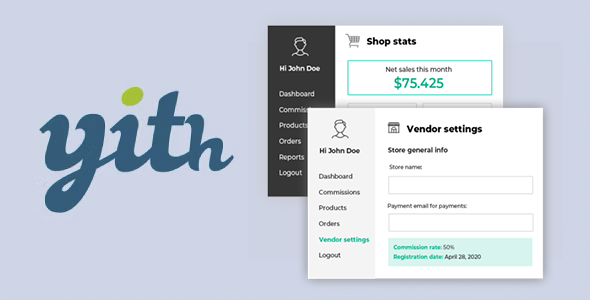
YITH WooCommerce Frontend Manager integrates seamlessly into your existing workflow by creating a management area on the visible side of your website, accessible only to authorized users. From this space, your store managers can perform tasks that previously required accessing the backend. Meanwhile, you maintain full control from the administration panel, but delegate daily operations to a much more streamlined and user-friendly environment.
When working with WordPress, this means the backend is reserved for global project configuration, design adjustments, additional extensions, and strategic decisions. Meanwhile, WooCommerce operations largely shift to the front end, clearly separating site development from day-to-day business management. This distinction helps each role work in the appropriate place without encroaching on the other's territory.
Typical use cases
- Real-world use in ecommerce with a support team: Customer service staff who log in daily only to review orders, check customer data, update statuses and leave notes, without needing to see anything else in the WordPress ecosystem.
- Case study with external vendors: projects where third parties are offered the possibility of selling in your store, and each seller needs a clear panel to upload products, adjust stock or review their sales without being exposed to the rest of the administration.
- Situation where it provides direct value: Growing stores where you can no longer handle every product change or order review yourself, and you delegate these tasks to an assistant who works comfortably from the front end of the site.
Frequently Asked Questions about YITH WooCommerce Frontend Manager
How does YITH WooCommerce Frontend Manager differ from using only the WordPress dashboard?
The main difference lies in the approach. The WordPress dashboard displays the entire site ecosystem: posts, pages, settings, extensions, and design. YITH WooCommerce Frontend Manager creates a dedicated front-end environment for store management, where users only access WooCommerce-related content. This reduces exposure to sensitive sections, simplifies the interface for non-technical users, and clearly separates overall administration from daily business operations.
What kind of tasks can a manager perform from the frontend with this system?
A manager accesses a front-end store interface, where they work with orders, products, and sales-related data, based on the permissions you configure. This allows them to review recent transactions, update catalog information, or handle requests without accessing the back-end. If you've ever had someone access unauthorized areas just to change a price, this workflow reduces that risk and streamlines tasks.
Is it useful for projects with a single administrator who does everything?
In projects where a single person manages both the content and the store, the main value emerges when the workload increases and you want to separate the technical aspects from the operational ones. If you're still in the very early stages and are comfortable always working from the backend, YITH WooCommerce Frontend Manager isn't a priority. It becomes relevant when you start delegating tasks or are interested in a more straightforward store interface for your own daily use.
How does it help with managing multiple employees in the same store?
In stores with multiple employees, the challenge often lies in providing sufficient access for everyone to work effectively without creating unnecessary obstacles. With YITH WooCommerce Frontend Manager, you define which aspects of the front end are available to each user profile. This allows each person to access their workspace and focus on their specific tasks, without affecting global settings or elements belonging to other roles. The result is more organized control over the internal operations of the e-commerce platform.
Does it make sense to use it in a marketplace with multiple sellers?
In a marketplace, YITH WooCommerce Frontend Manager is ideal when you want each seller to manage their own catalog and sales tracking from a clear and streamlined front end. This way, they don't need to learn how to manage the back end or access information unrelated to their business. In this context, the product acts as a bridge between the WordPress infrastructure and a management experience tailored to each seller, while maintaining overall control from the admin panel.
Conclusion
YITH WooCommerce Frontend Manager is designed for stores that need to separate site building and configuration from daily order and product management. If your project has grown to the point of working with multiple roles and the backend is becoming a bottleneck or a risk, this frontend approach brings order and clarity. From there, everyone works where they should, with what they need, and you maintain real control over the store and its operations.