
Essential Pricing Plan Switcher for Elementor 1.0.1


- Secure Payment
- Support from Monday to Friday
- With you since 2018
$14.00 El precio original era: $14.00.$5.99El precio actual es: $5.99.
Quick summary
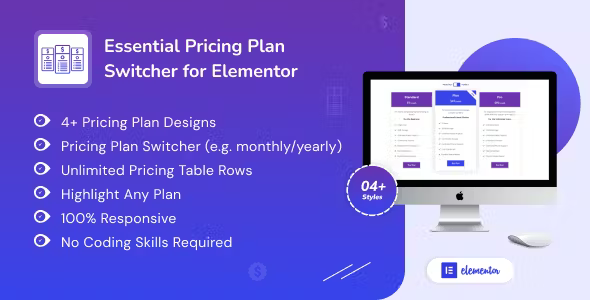
Essential Pricing Plan Switcher for Elementor is a plugin specifically designed to create dynamic pricing tables on Elementor pages. It allows you to display different plans, payment periods, or packages within the same block, switching between them with clear toggles for the user. It's ideal for projects that sell subscription services, memberships, SaaS, courses, or tiered plans and need visitors to easily compare options without getting lost among multiple sections of the website.
What problem does it help solve?
When working with recurring pricing in WordPress, the first hurdle arises when trying to display multiple payment options without cluttering the page. Users want to see the monthly, annual, or volume pricing all in one place, without having to scroll through endless blocks. If you've ever ended up duplicating sections in Elementor just to show a monthly and an annual version of the same plan, you know that this makeshift solution complicates maintenance and creates inconsistencies.
In real-world projects, this translates into lengthy, confusing, and difficult-to-update pricing pages. Every change to a condition, benefit, or offer requires editing multiple widgets and blocks, with the constant risk of leaving information outdated. Furthermore, visitors have to compare options visually, scrolling up and down to understand which one best suits their needs. This friction is especially noticeable when offering three or more plans with different billing periods.
Essential Pricing Plan Switcher for Elementor addresses this bottleneck: organizing pricing information within a single, switchable section. Instead of creating multiple tables scattered across the page, you present a clear structure with switches or tabs that instantly display each variant of the same plan. Users can compare at a glance, and you maintain a single visual management area for your pricing strategy.
Why this solution makes a difference
The key difference isn't just in the visual aspect, but in how you work with your pricing pages on a daily basis. By using Essential Pricing Plan Switcher for Elementor, you centralize your plan logic within a single Elementor block, simplifying every subsequent adjustment. Adding a new payment period, highlighting a specific plan, or tweaking a benefit becomes a focused task, less prone to copy-and-paste errors.
On the other hand, the user experience is tangibly improved. Visitors don't have to decipher lengthy tables or search for differences between nearly identical blocks: they simply activate a toggle and see the prices change without losing context. This reduces abandonment of the pricing section and clarifies the marketing message. When you start noticing users hesitating on the pricing page or asking about existing options, a visual toggle often makes a significant difference.
In this context, the layout with Elementor remains consistent. You don't rely on tables embedded from other systems or inflexible shortcodes. You continue designing with the same visual principles as your site, but incorporate specific behavior designed for variable pricing plans. This balance between design and business clarity is what makes this plugin make sense as a standalone piece within your website's ecosystem.
Signs you need this product
- You already offer monthly and annual pricing and have had to duplicate sections or widgets in Elementor to display each option.
- Users frequently ask about differences between plans because the current table does not make it clear what each option includes depending on the payment period.
- Managing changes to your rates is time-consuming, as you have to review several sections to ensure all prices match.
- You're in a growth phase where you plan to launch new service levels, team packages, or volume discounts, and you need a neat and scalable presentation.
When does it make sense to use it (and when doesn't)
Essential Pricing Plan Switcher for Elementor adds value when your pricing strategy can't be solved with a single static table. If you work with subscriptions, multi-tiered memberships, monthly/annual plans, or different team sizes, a switchable section greatly reduces user friction. It's also ideal when you want to test different pricing structures (for example, highlighting the mid-range plan) and need a flexible block that adapts to your landing page's overall design.
Conversely, this plugin isn't really necessary if your project only offers a single, fixed price without variations or tiered plans. For simple sites selling a single course, a standard service, or a product without recurring options, a basic Elementor pricing card is sufficient. It also becomes pointless if you don't use Elementor in your workflow, as its main advantage lies in its direct integration with that visual environment and your existing templates.
When you're managing multiple pricing pages and start noticing that each promotion involves sifting through a jumble of widgets, the time to introduce a centralized toggle switch becomes clear. However, if you're in the early stages and your pricing structure isn't yet defined, it's best to first establish your plans and then adopt this approach once your value proposition is stable.
Who it fits best for
- Agencies and freelancers who create Elementor sites for clients who sell subscription services, recurring support, maintenance, or consulting with different payment methods.
- SaaS projects or memberships that need to display various access levels (basic, standard, advanced, team) with price changes depending on the billing period or the number of users.
- Online academies and trainers They offer different course packages, monthly vs. annual payments, or access bundles, and need a clear pricing section to minimize doubts before purchase.
Practical benefits
- Real operational improvement: You centralize the management of each group of plans in a single switched block, reducing the number of items you need to review when changing rates or benefits.
- User experience: The visitor understands the available options more quickly, switches between payment periods without leaving the section, and perceives a professional and consistent pricing structure.
- Control and organization: You keep all variants of the same plan organized around a switch, avoiding visual duplication and situations where a plan displays outdated information.
- Time saving: By reducing the number of separate price blocks, each adjustment is made only once, freeing up hours in projects with frequent campaigns and changes in business strategy.
- Error reduction: When you've already experienced a monthly price and an annual price that don't match between different sections, having a unified switchboard becomes a direct way to avoid confusion and complaints.
How it fits within WordPress
Within WordPress, Essential Pricing Plan Switcher for Elementor integrates seamlessly into your standard Elementor page creation workflow. It doesn't act as a billing system or replace payment gateways; its role lies in presenting your pricing. You design your landing page, choose where the pricing section goes, and use this switcher to group the different plan variations in a common area, consistent with the rest of the design.
On sites that combine content, blogging, and service sales, the plan switcher becomes the centerpiece of the "Plans," "Pricing," or "Get Hired" pages. In this context, WordPress continues to manage the content and products, while Elementor controls the visual layout. Essential Pricing Plan Switcher for Elementor adds a dedicated layer to structure the most critical part of your website: the presentation of how much each option costs and what it includes.
Typical use cases
- A membership platform offering basic, professional, and corporate access, with monthly and annual pricing. The switch allows users to change between subscription periods without losing sight of what each level includes.
- A design studio that sells web maintenance packages (starter, growth, premium) wants to highlight the intermediate plan as a recommended option, dynamically showing the difference between paying monthly or with an annual subscription.
- An online academy that groups several courses into leveled plans, where the visitor can alternate between "pay per course", "monthly subscription" or "annual pass" within the same pricing section without navigating through several different pages.
Frequently Asked Questions about Essential Pricing Plan Switcher for Elementor
Does Essential Pricing Plan Switcher for Elementor replace Elementor's native pricing tables?
It doesn't replace them, it complements them. Elementor's native tables are designed to display a fixed set of prices without variations. Essential Pricing Plan Switcher for Elementor comes into play when you need the same group of plans to display different options, such as monthly and annual, without duplicating sections. Instead of replacing your existing cards, you organize them around a switcher, maintain the familiar design, and add specific behavior to clearly manage multiple variations.
What are the advantages compared to manually creating multiple pricing sections with Elementor?
Creating manual sections might work initially, but as your plans and payment periods increase, maintenance becomes cumbersome. Essential Pricing Plan Switcher for Elementor eliminates the need to clone and modify the same table repeatedly. It centralizes the variations for each plan and allows users to switch between them within a single block. This reduces the risk of version-crossing errors, improves readability, and keeps your page cleaner, shorter, and easier to manage in the long run.
Does it work if I only have two or three plans without a monthly/annual option?
In that case, it depends on how you want to structure your offering. If you only manage three plans with a single fixed price and don't foresee any changes in the short term, a standard Elementor table might suffice. The Essential Pricing Plan Switcher for Elementor starts to show its value when you introduce more than one billing type, bundled packages, or conditional discounts. If you anticipate your pricing strategy will evolve, incorporating the switcher from the start makes that transition smoother.
Can I highlight a specific plan to guide the user's decision?
Yes, the Essential Pricing Plan Switcher for Elementor allows you to structure your plans so that one takes center stage within the group. By grouping the variations in a switched block, you can maintain a clear visual hierarchy where the recommended plan retains its prominent position, even when the user changes their payment method. This helps direct attention to the option that best fits your business strategy without disrupting the section's visual consistency.
In what types of projects is the difference most noticeable when using it?
The difference is most evident in projects where the pricing page is key to conversion: SaaS, memberships, academies, recurring services, and consulting with multiple packages. In these cases, visitors need to compare options quickly and without distractions. Essential Pricing Plan Switcher for Elementor organizes this comparison within a clear format, switching between variations without reloading the page. This reduces hesitation at the critical moment of decision and makes it easier to understand each plan within its real-world context.
Conclusion
Essential Pricing Plan Switcher for Elementor is designed to streamline how you present complex pricing on Elementor-based pages. Instead of multiple tables and sections, you consolidate your plans into a single, easily readable block that minimizes errors and simplifies maintenance. If your project relies on tiered plans, subscriptions, or packages, structuring this information effectively makes all the difference between a confusing page and one that guides users toward a purchase decision.
Latest update:

Written by: WPClub
With over seven years of experience curating, managing, and distributing GPL products, our content is based on hands-on experience, technical review, testing, and feedback from thousands of users. We aim to democratize and simplify the WordPress world so you can choose with confidence, speed, and ease.
Your Individual Purchase Includes:
- Lifetime updates.*
- Official product, ready to use.
- Immediate access to the product.
- Clean and virus-free files.
- GNU GPL V2/V3 License
- Technical support in Spanish and English.
* In the case of memberships, the period during which you will receive updates will depend on the type of membership purchased: monthly, annual, or lifetime.
Notify Update
We update products Monday through Friday. However, if the product you see is not yet updated, you can notify us so we can prioritize updating it whenever possible.
Get your questions answered here
Here you'll find answers to frequently asked questions about our service: how it works, what it includes, and how to get the most out of it.
On how many websites can I use the products?
You can use any product from our store on any website you want.
Will I get updates?
Absolutely. If you buy an individual product, you'll get lifetime updates for that product.
On the other hand, if you purchase a membership, you will receive updates until your membership expires.
What if I have a problem?
First of all, we want you to know that you can count on us. We will assist you and provide the necessary support, so you can rest assured.
On the other hand, it is important for you to know that, given the time difference between countries, your time and ours may not be the same, so we will be delayed accordingly.
Our opening hours start at 9 AM from Monday to Friday, UTC -3. We are open until around 6 PM.
Do they provide technical support?
Yes, and regarding the time, it is usually on average within 24 to 48 business hours.
However, there are times when we have already provided an answer and solution in less than a day, depending on the case.
Are there download limits?
No. We don't believe in that format, so you can download as many times as you want. No problem. We pay for high-quality professional storage precisely to avoid problems.
Do they provide license keys?
No. Giving out the keys is not a viable option, as we have had experiences where they end up circulating everywhere and we can even lose the associated accounts.
That said, all products are original and, in cases where a license key is required to function, we will take care of pre-activating them for you.
Does my purchase include an invoice?
Yes. After payment, you will be able to access your invoice immediately in the "Purchases" section of your user account.
That is why it is important that you properly complete the information requested at the time of payment.
Is there a warranty?
Yes, of course. If there's a problem we can't resolve, or if there's an external issue that doesn't have a general solution, you'll receive support and, if necessary, a full refund. We have a 14-day refund policy from the date of purchase.
- It should be noted that there is no warranty if the product works well and it simply wasn't what you wanted.
There have been instances where someone buys a product, the product works perfectly, but they don't like it and want a refund, keeping the product. That's not right.
However, everything is evaluable and reasonable. Let's use judgment together.
What are the opening hours?
Our opening hours are:
- Monday to Friday, from 9 a.m. to 6 p.m.
- Saturday and Sunday: No service.
UTC -3 time

Our Reputation on Trustpilot
Many thanks to those who take the time to give us a rating on Trustpilot. Each and every one of your comments is very helpful to us. We strive to provide a rewarding experience for every member of our community, always with respect and care. We'll be here!






















WPClub Memberships
Access our entire catalog for a single payment. We offer three memberships: Monthly, Annual, and Lifetime (One-Time Payment).
- Save thousands of dollars
- Unlimited daily downloads
- No recurring payments
- Fast downloads by AWS
- Quality service and support, validated since 2018
- We work with love for our community