
Hotel Booking Checkout Fields 1.2.3


- Secure Payment
- Support from Monday to Friday
- With you since 2018
$199.00 El precio original era: $199.00.$6.99El precio actual es: $6.99.
Quick summary
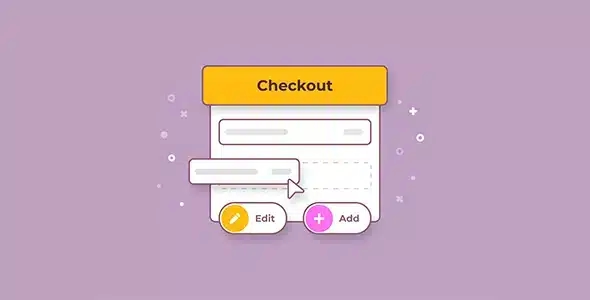
Hotel Booking Checkout Fields is an extension designed for hotel booking sites that use WooCommerce as their payment system. It allows you to add, adjust, and organize specific fields in the checkout process, designed for accommodations: guest data, stay preferences, and key booking details. It's ideal for hotel owners, vacation rental owners, and travel agencies who need each payment to include complete operational information from the outset.
What problem does it help solve?
On many WordPress and WooCommerce-based booking sites, payment is handled like a standard online store. This means the checkout process asks for name, address, and billing information, but ignores crucial details for accommodations: estimated arrival time, number of guests, children's ages, bed type requested, or details of the booking holder who will be making the payment.
When you start noticing that every reservation comes with back-and-forth emails to fill out basic details, the problem is clear. The reception team needs to call or write to the guest to ask for things the form never requested. Time is wasted, confirmations are delayed, and the risk of misunderstandings increases. If you've ever had a guest arrive with a special need that no one saw because it wasn't listed at checkout, you know what this means.
In real-world projects, this gap translates into incomplete bookings, misallocated rooms, or additional services not prepared on time. Hotel Booking Checkout Fields exists to bridge this specific gap between "payment" and "stay details," aligning the WooCommerce form with the actual logic of a lodging business.
Why this solution makes a difference
Hotel Booking Checkout Fields focuses on the most critical moment of the process: payment, when the customer has already decided to book. At this point, the form becomes the only reliable place to capture everything that reception, housekeeping, and administration need to know. Instead of distributing the information through scattered emails, calls, and internal memos, it's structured from the checkout stage and linked to the booking from the very beginning.
In day-to-day operations, this means fewer surprises upon guest arrival, fewer last-minute changes to room assignments, and less time spent by staff chasing down basic information. Furthermore, the user experience improves because the booking process feels clear, organized, and tailored to their actual stay, not a generic purchase. The customer understands what they are being asked and why, right before paying.
Furthermore, by channeling all booking information through the configured fields, the margin for manual error is reduced: there's no need to re-enter data in spreadsheets or copy details from email. Everything is centralized in the WooCommerce order and ready for the team to use.
Signs you need this product
- The reservations arrive with incomplete information: You don't know how many guests are arriving, if there are children, special needs, or bed requests until the customer writes after payment.
- Friction in the WordPress and WooCommerce workflow: The store is processing payments correctly, but the information you receive from the WooCommerce back office is insufficient to organize the stay.
- Team time wasted: You have to manually contact each reservation to ask the same thing over and over again, with the risk of forgetting key information during peak seasons.
- Growth scenario: when you start to notice that the volume of bookings is increasing and the current system of loose notes, emails and internal comments is no longer manageable.
When does it make sense to use it (and when doesn't)
Hotel Booking Checkout Fields makes sense when your WordPress site uses WooCommerce as a payment gateway for accommodation bookings and you need each order to contain specific operational details about the stay. If you manage rooms, apartments, cottages, or accommodation packages and the checkout process is your central point of data capture, this extension directly improves the quality of the information you receive.
This arises when your project relies on WooCommerce instead of an external booking engine, and you need to adapt the checkout process to the realities of a hotel. It also applies when you already have a basic booking system and want to enhance the payment process with additional fields that the system doesn't natively cover, especially if you operate with multiple room types or optional services linked to the booking.
There's no need to use Hotel Booking Checkout Fields if your property uses a dedicated booking engine that already guides users through a complete flow with all the necessary information, and WooCommerce is only used to sell secondary products (e.g., hotel merchandise). It also doesn't add value if your site doesn't handle online bookings or if your contact form already completes the booking process manually without requiring a shopping cart.
Who it fits best for
- Owners of hotels and independent accommodations: projects that directly manage bookings on their website and want to have control of all the details within WordPress without depending on external systems.
- Agencies and studios that develop accommodation websites: Professionals who build WordPress sites for hotels, hostels, and tourist apartments, and need the checkout to function as a structured booking form.
- Reception and reservations teams working on WooCommerce: environments where staff consult WooCommerce orders to organize check-in, room allocation, optional services, and internal notes.
Practical benefits
- Real operational improvement: Each booking arrives with all the key data configured from the checkout, reducing the need to collect additional information through other channels.
- Guest user experience: The customer understands that they are booking accommodation, not buying a generic product; the form reflects natural questions from a hotel booking.
- Internal control and organization: The information about the stay is unified in the order, avoiding duplication between notes, emails and external documents.
- Time savings for staff: By not repeating the same questions for each reservation, the team focuses on customer service tasks, not on correcting shortcomings in the form.
- Reduction of errors in arrivals and stays: Less confusion regarding the number of guests, key dates, preferences, and booked services, which reduces incidents on check-in day.
How it fits within WordPress
In the WordPress ecosystem, Hotel Booking Checkout Fields acts as a dedicated component located at the WooCommerce checkout point. It doesn't replace the underlying system you use to manage your room inventory or the theme your site displays; instead, it integrates when the customer confirms the booking and submits the payment. That's where its value lies: by expanding and adapting the information that is captured.
Working with WordPress makes it easy to centralize all booking operations in a single environment: the WooCommerce dashboard. The team can review bookings, download listings, and view additional details directly on the orders, without having to jump between different platforms to find basic information about the stay.
Typical use cases
- Direct bookings on the hotel's website: The user chooses a room, dates and makes the payment with WooCommerce, and Hotel Booking Checkout Fields adds fields to specify arrival time, number of guests and details for registration.
- Vacation rental with additional services: apartments or rural houses that sell extra cleaning, breakfasts or late check-out, where additional fields are needed at checkout to configure every detail.
- Mixed projects with events and accommodation: sites that combine the sale of stays with experiences (weddings, retreats, conferences), where it is key to link participant data and preferences directly to the paid order.
Frequently Asked Questions about Hotel Booking Checkout Fields
How does Hotel Booking Checkout Fields differ from a generic checkout field editor?
Hotel Booking Checkout Fields is designed specifically for accommodation contexts. The logic behind the fields that are added, edited, or organized is geared towards room and stay bookings, not a standard store. This helps the form focus on data such as guests, stay preferences, and practical check-in details, preventing the checkout from becoming a simple billing form with no operational value for the hotel.
What happens to reservations if I don't adapt the checkout fields to the hotel business?
If you stick with the standard WooCommerce checkout, the system will process the payment correctly, but reception and reservations will be working "blindly" with data designed for physical products. You'll end up resorting to manual order notes, individual emails, or phone calls to fill in basic information. This increases the time spent on each booking and opens the door to errors, such as not knowing the actual number of guests or overlooking a special request that was never included in the payment form.
Does Hotel Booking Checkout Fields replace my main booking system in WordPress?
No. Hotel Booking Checkout Fields does not replace the system you use to manage availability, calendars, or room types. Its function is to complement the WooCommerce checkout process by adding the necessary fields to ensure each booking is properly documented within the order. Inventory control and booking rules remain the responsibility of your booking plugin or base configuration, while this extension enhances the quality of the information collected at checkout.
Is it useful if I only manage a few bookings per month?
If the booking volume is very low and the team can easily review each case manually, you might not need to adjust the checkout process. However, when you start noticing that you no longer remember every booking by heart, that multiple people are accessing the WordPress dashboard, or that arrivals accumulate on weekends, having a checkout system tailored to the hotel helps maintain consistency, as anyone on the team can understand a booking simply by looking at the WooCommerce order.
How does Hotel Booking Checkout Fields help the reception team on check-in day?
By having all the relevant details in the configured fields, reception can view each booking from the WooCommerce dashboard and see at a glance who is arriving, how many people are in the party, if there are children, what type of bed was requested, or if the guest has any important notes for the property. This reduces questions upon arrival, streamlines the check-in process, and allows staff to anticipate special needs, improving the guest experience from the very first contact.
Conclusion
Hotel Booking Checkout Fields exists to solve a very specific problem: accommodation bookings paid through WooCommerce that lack the information the team needs to work securely. By adapting the checkout process to the realities of hotels, vacation rentals, and similar accommodations, it transforms a simple payment into a complete and functional booking. In projects where the booking process begins in WordPress, having a hotel-specific checkout makes a clear difference in daily operations.
Latest update:

Written by: WPClub
With over seven years of experience curating, managing, and distributing GPL products, our content is based on hands-on experience, technical review, testing, and feedback from thousands of users. We aim to democratize and simplify the WordPress world so you can choose with confidence, speed, and ease.
Your Individual Purchase Includes:
- Lifetime updates.*
- Official product, ready to use.
- Immediate access to the product.
- Clean and virus-free files.
- GNU GPL V2/V3 License
- Technical support in Spanish and English.
* In the case of memberships, the period during which you will receive updates will depend on the type of membership purchased: monthly, annual, or lifetime.
Notify Update
We update products Monday through Friday. However, if the product you see is not yet updated, you can notify us so we can prioritize updating it whenever possible.
Get your questions answered here
Here you'll find answers to frequently asked questions about our service: how it works, what it includes, and how to get the most out of it.
On how many websites can I use the products?
You can use any product from our store on any website you want.
Will I get updates?
Absolutely. If you buy an individual product, you'll get lifetime updates for that product.
On the other hand, if you purchase a membership, you will receive updates until your membership expires.
What if I have a problem?
First of all, we want you to know that you can count on us. We will assist you and provide the necessary support, so you can rest assured.
On the other hand, it is important for you to know that, given the time difference between countries, your time and ours may not be the same, so we will be delayed accordingly.
Our opening hours start at 9 AM from Monday to Friday, UTC -3. We are open until around 6 PM.
Do they provide technical support?
Yes, and regarding the time, it is usually on average within 24 to 48 business hours.
However, there are times when we have already provided an answer and solution in less than a day, depending on the case.
Are there download limits?
No. We don't believe in that format, so you can download as many times as you want. No problem. We pay for high-quality professional storage precisely to avoid problems.
Do they provide license keys?
No. Giving out the keys is not a viable option, as we have had experiences where they end up circulating everywhere and we can even lose the associated accounts.
That said, all products are original and, in cases where a license key is required to function, we will take care of pre-activating them for you.
Does my purchase include an invoice?
Yes. After payment, you will be able to access your invoice immediately in the "Purchases" section of your user account.
That is why it is important that you properly complete the information requested at the time of payment.
Is there a warranty?
Yes, of course. If there's a problem we can't resolve, or if there's an external issue that doesn't have a general solution, you'll receive support and, if necessary, a full refund. We have a 14-day refund policy from the date of purchase.
- It should be noted that there is no warranty if the product works well and it simply wasn't what you wanted.
There have been instances where someone buys a product, the product works perfectly, but they don't like it and want a refund, keeping the product. That's not right.
However, everything is evaluable and reasonable. Let's use judgment together.
What are the opening hours?
Our opening hours are:
- Monday to Friday, from 9 a.m. to 6 p.m.
- Saturday and Sunday: No service.
UTC -3 time

Our Reputation on Trustpilot
Many thanks to those who take the time to give us a rating on Trustpilot. Each and every one of your comments is very helpful to us. We strive to provide a rewarding experience for every member of our community, always with respect and care. We'll be here!






















WPClub Memberships
Access our entire catalog for a single payment. We offer three memberships: Monthly, Annual, and Lifetime (One-Time Payment).
- Save thousands of dollars
- Unlimited daily downloads
- No recurring payments
- Fast downloads by AWS
- Quality service and support, validated since 2018
- We work with love for our community