

- Secure payment
- Soporte Español e Inglés
- With you since 2018
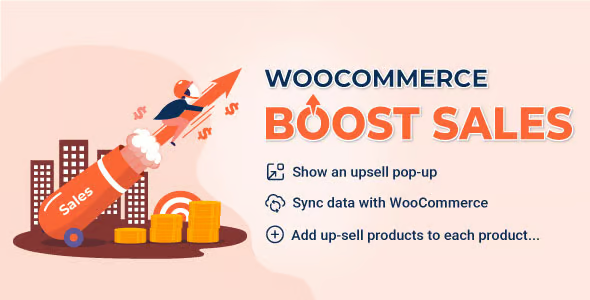
WooCommerce Boost Sales 1.6.7
$32.00 El precio original era: $32.00.$5.99El precio actual es: $5.99.
Quick summary
WooCommerce Boost Sales is designed to increase the average order value in your store by displaying additional offers at the exact moment a customer is shopping. It's ideal for businesses that receive traffic and sales but feel that "each cart could be worth more." It's geared towards stores that want to strategically work on upselling and cross-selling without relying solely on coupons and general discounts.
What problem does it help solve?
In many WooCommerce stores, the focus is on attracting traffic, but little attention is paid to what happens once a user has items in their cart. The result is a catalog that sells, but leaves money on the table because each customer only buys the bare minimum. When you start noticing that your revenue is growing less than your website traffic, it's usually because you're not effectively managing upsells within the checkout process.
WooCommerce offers basic options for related products, but in real-world projects, that falls short. You can't precisely decide what to show, at what exact point in the user journey, and based on what business logic. This becomes apparent when you already have a certain volume of orders and see that the average order value barely changes despite adding more products to the catalog. You need a concrete way to present relevant suggestions in the cart, on the product page, or at checkout, without relying on generic recommendations.
Why this solution makes a difference
WooCommerce Boost Sales focuses on a very specific goal: optimizing the value of each order through offers tailored to the moment of purchase. It doesn't simply display "similar" products; it guides the customer flow so they see superior alternatives, logical add-ons, or attractive bundles precisely when they are ready to buy. In practice, this translates into increased revenue from the same visitors, without altering your overall marketing strategy.
When working with WordPress, you manage products, orders, and campaigns across multiple screens. This product integrates seamlessly into that environment, allowing you to define, in a structured way, which combination of items you want to highlight as upsells or cross-sells. This reduces impromptu decisions, avoids displaying random suggestions, and alleviates manual work by creating rules that work for you. If you've ever reviewed orders one by one thinking, "This customer would have also benefited from this other product," this is where you'll see the practical difference.
Signs you need this product
- Your store receives consistent sales, but the average order value remains stagnant despite adding new products.
- The related products shown by WooCommerce do not match the business strategy you want to implement and create friction when setting up the catalog.
- You invest time in manually creating bundles or value propositions and lose control as the number of references grows, which impacts your daily organization.
- You've gone from a few products to a large catalog and you're starting to notice that it's difficult to guide the customer towards profitable combinations without a clear upsell logic.
When does it make sense to use it (and when doesn't)
WooCommerce Boost Sales makes sense when your store is already receiving orders regularly and your focus shifts from "getting that first sale" to "making the most of every existing sale." In this scenario, each well-placed recommendation helps increase the total amount spent without forcing the user to browse the entire catalog. It works especially well for businesses with clear complementary products, upgraded versions, or accessories that increase profit margins without significantly increasing the customer's cost.
However, this product isn't necessary if you're starting with very few products and barely receiving any orders. If you still lack traffic or your main challenge is validating your initial offering, adding a layer of upsell optimization won't have a real impact. It also doesn't add value if your WooCommerce store is based on a single service or product without variations or accessories, where there's no room to consider additional purchases within the same sales flow.
Who it fits best for
- WooCommerce store owners who already sell daily and want to increase the average ticket without relying exclusively on external campaigns or large discounts.
- Digital stores with catalogs of related products: accessories, spare parts, packs, upgrades or complementary services linked to each main purchase.
- Agencies, freelancers, and marketing managers who run multiple stores and need a systematic approach to implementing upselling and cross-selling with clear business criteria.
Practical benefits
- Transform each key point in the buying process into a real opportunity to add relevant products, increasing the final value of the order without extra complexity for the user.
- The customer perceives consistent and useful recommendations, which improves their shopping experience and reduces the feeling of being faced with aggressive or out-of-context offers.
- It allows you to decide precisely which product combinations you want to push, maintaining greater control over revenue strategy and profitability per product line.
- Reduce repetitive work by centralizing the logic of upsells; you stop editing products one by one to create offers and save time in daily management.
- It reduces errors resulting from poorly thought-out or disconnected suggestions, preventing the user from receiving proposals that do not make sense for what they are actually buying.
How it fits within WordPress
In a WordPress environment with WooCommerce, you manage pages, posts, products, and campaigns from a single dashboard. WooCommerce Boost Sales joins this ecosystem as a component focused on the point of sale. It doesn't compete with your coupon manager or lead generation forms; it sits right where the user has already selected something and is about to pay. In this context, its function is to leverage the available information from the shopping cart and the products involved to present additional offers aligned with your sales strategy.
In real-world projects, this means you continue using your usual plugins for SEO, email marketing, or analytics, while this element takes care of making the purchase session more profitable. You define the criteria and rules, and the system displays the relevant offers in the store interface, without requiring you to modify the overall design or redo the checkout process from scratch.
Typical use cases
- Electronics stores that display additional cases, screen protectors, or cables when a customer adds a device to their cart, increasing the order value without increasing acquisition costs.
- Cosmetics or personal care businesses that present a larger size or a combo pack as an alternative on the product page, guiding the user towards higher margin options.
- Online academies or training businesses where, when purchasing a course, complementary modules or additional material are suggested at checkout, generating cross-sales that are very much aligned with the student's interest.
Frequently Asked Questions about WooCommerce Boost Sales
At what point in the buying process does WooCommerce Boost Sales help the most?
WooCommerce Boost Sales is especially useful at points where the customer has already made a partial decision: product page, shopping cart, and checkout screen. At these stages, the purchase intent is clear, and the user is receptive to real improvements to their initial choice. By displaying related suggestions in this context, you increase the likelihood that they will accept add-ons or upgraded versions, rather than forcing them to return to the catalog to search on their own.
How can I tell if my products lend themselves to effective upselling?
Your products lend themselves to upselling when there's a clear and logical connection between what the customer buys and what you want to suggest. For example: accessories that enhance the main product's functionality, higher-capacity versions, maintenance, extended support, or recurring consumables. If you've ever thought, "Almost every customer who buys this also needs that," then you have a solid foundation for applying WooCommerce Boost Sales in a business-oriented way, without forcing the experience.
What makes WooCommerce Boost Sales different from showing related products by default in WooCommerce?
The default related products are based on generic criteria and don't always follow a business logic. WooCommerce Boost Sales is designed to let you define what you want to sell next: an upgrade, a bundle, an accessory, or a completely complementary item. This ability to decide the exact offer, the timing, and the display conditions transforms the recommendations into a direct extension of your sales strategy, not just an automated list of similar items.
Does it make sense to use WooCommerce Boost Sales in stores with few products?
In very small stores with a limited catalog and no clear complementary products, the impact is less significant. However, when you have at least several related items, there's room to consider improvements to the average order value. If you work, for example, with a main product and some useful accessories, you can leverage WooCommerce Boost Sales to present those additional options in an organized way, instead of leaving them hidden in the main catalog.
How does WooCommerce Boost Sales affect the customer experience during checkout?
The impact on the user experience depends on how you choose to present the offers. The goal is for the offers to appear as relevant suggestions, not interruptions. By configuring WooCommerce Boost Sales strategically, the recommendations are perceived as helpful for completing the purchase: a necessary extra, a savings on a bundle, or a reasonable upgrade to the chosen product. When implemented correctly, the checkout process remains smooth, and the user feels they are receiving options that make sense for what they are actually buying.
Conclusion
WooCommerce Boost Sales exists to address a specific situation: when you've already generated sales, but the average order value doesn't reflect the effort you put into attracting visitors. Instead of focusing on traffic or catalog visibility, it focuses on the point of purchase, ensuring each order has a higher profit margin and greater business consistency. If your store is already generating orders and you want to maximize the value of each customer without complicating their experience, this is the missing piece in your WooCommerce strategy.
Tu compra individual incluye:
- Lifetime updates.*
- Producto listo para utilizar.
- Immediate access to the product.
- Clean and virus-free files.
- GNU GPL V2/V3 License
- Technical support in Spanish and English.
* In the case of memberships, the period during which you will receive updates will depend on the type of membership purchased: monthly, annual, or lifetime.
Resuelve tus dudas aquí
Here you'll find answers to frequently asked questions about our service: how it works, what it includes, and how to get the most out of it.
On how many websites can I use the products?
You can use any product from our store on any website you want.
Will I get updates?
Absolutely. If you buy an individual product, you'll get lifetime updates for that product.
On the other hand, if you purchase a membership, you will receive updates until your membership expires.
What if I have a problem?
First of all, we want you to know that you can count on us. We will assist you and provide the necessary support, so you can rest assured.
On the other hand, it is important for you to know that, given the time difference between countries, your time and ours may not be the same, so we will be delayed accordingly.
Our opening hours start at 9 AM from Monday to Friday, UTC -3. We are open until around 6 PM.
Do they provide technical support?
Yes, and regarding the time, it is usually on average within 24 to 48 business hours.
However, there are times when we have already provided an answer and solution in less than a day, depending on the case.
Are there download limits?
No. We don't believe in that format, so you can download as many times as you want. No problem. We pay for high-quality professional storage precisely to avoid problems.
Do they provide license keys?
No. Giving out the keys is not a viable option, as we have had experiences where they end up circulating everywhere and we can even lose the associated accounts.
That said, all products are original and, in cases where a license key is required to function, we will take care of pre-activating them for you.
Does my purchase include an invoice?
Yes. After payment, you will be able to access your invoice immediately in the "Purchases" section of your user account.
That is why it is important that you properly complete the information requested at the time of payment.
Is there a warranty?
Yes, of course. If there's a problem we can't resolve, or if there's an external issue that doesn't have a general solution, you'll receive support and, if necessary, a full refund. We have a 14-day refund policy from the date of purchase.
- It should be noted that there is no warranty if the product works well and it simply wasn't what you wanted.
There have been instances where someone buys a product, the product works perfectly, but they don't like it and want a refund, keeping the product. That's not right.
However, everything is evaluable and reasonable. Let's use judgment together.
What are the opening hours?
Our opening hours are:
- Monday to Friday, from 9 a.m. to 6 p.m.
- Saturday and Sunday: No service.
UTC -3 time

Revisado por el equipo de WPClub
En WPClub revisamos cuidadosamente cada producto antes de publicarlo. Nuestro equipo evalúa sus principales funciones, compatibilidad y desempeño para entregarte información confiable, actualizada y útil al momento de elegir y utilizar cada recurso disponible en nuestra tienda.
Descargar versiones anteriores
Si has adquirido este producto, o tienes una membresía activa, puedes descargar las versiones anteriores a medida que las vayamos publicando, sin ningún tipo de límites o restricciones.
| Nombre del producto | Versión | Tamaño | Fecha | Descargar |
|---|---|---|---|---|
| No hay versiones anteriores registradas. | ||||

Our Reputation on Trustpilot
Many thanks to those who take the time to give us a rating on Trustpilot. Each and every one of your comments is very helpful to us. We strive to provide a rewarding experience for every member of our community, always with respect and care. We'll be here!






















WPClub Memberships
Access our entire catalog for a single payment. We offer three memberships: Monthly, Annual, and Lifetime (One-Time Payment).
- Save thousands of dollars
- Unlimited daily downloads
- No recurring payments
- Fast downloads by AWS
- Quality service and support, validated since 2018
- We work with love for our community