
WP MAPS PRO Plugin for Google Maps 6.0.4


- Secure Payment
- Support from Monday to Friday
- With you since 2018
$59.00 El precio original era: $59.00.$5.99El precio actual es: $5.99.
Quick summary
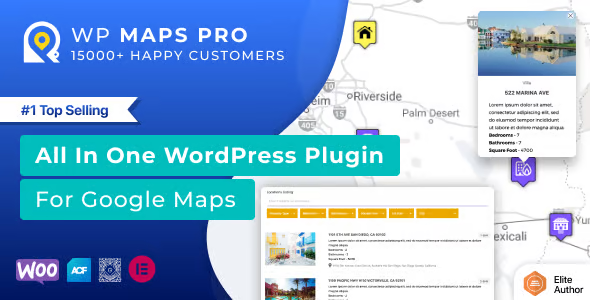
WP MAPS PRO Plugin for Google Maps es un complemento avanzado para WordPress orientado a integrar mapas de Google Maps en tu sitio o tienda online. Facilita mostrar ubicaciones, rutas y puntos de interés de forma visual, ayudando a mejorar la experiencia del cliente y a guiarlo hacia tus puntos de venta físicos o servicios locales.
Overview
Este tipo de plugin está diseñado para añadir mapas interactivos de Google Maps a cualquier página o entrada de WordPress sin necesidad de programar. Permite representar direcciones, sucursales, zonas de servicio y otros elementos geolocalizados de forma clara, ayudando a comunicar mejor la información de ubicación dentro de un proyecto web.
En el ecosistema WordPress, se usa con frecuencia en sitios corporativos, tiendas con varios puntos de recogida, negocios de servicios, directorios locales o proyectos que requieren mostrar información basada en mapas. Su principal propósito es hacer que la localización de lugares sea más intuitiva y accesible para el usuario final.
¿Para qué sirve WP MAPS PRO Plugin for Google Maps?
WP MAPS PRO Plugin for Google Maps sirve para resolver el problema de mostrar direcciones y ubicaciones complejas de manera comprensible en un sitio WordPress. En lugar de listas de texto difíciles de interpretar, el usuario obtiene un mapa dinámico donde puede visualizar rápidamente dónde se encuentra cada punto relevante.
Para una tienda online, es útil cuando se quieren destacar tiendas físicas, puntos de recogida, distribuidores o áreas de entrega. En sitios de membresías o proyectos corporativos, ayuda a mostrar oficinas, sedes y delegaciones. En landing pages o proyectos de marketing, refuerza la confianza al dejar clara la presencia geográfica del negocio y la cercanía con el cliente.
Who is it ideal for?
- Negocios locales o cadenas con varias sucursales que necesitan mostrar claramente sus puntos de venta, oficinas, clínicas, restaurantes o tiendas físicas en un mapa interactivo dentro de WordPress.
- Proyectos de directorios, guías de ciudades, portales turísticos, inmobiliarias o listados de profesionales donde es importante agrupar y presentar múltiples ubicaciones de forma ordenada y filtrable.
- Equipos de marketing, diseño o gestión de proyectos digitales que buscan mejorar la experiencia de usuario, optimizar la conversión en páginas de contacto y reducir dudas relacionadas con zonas de servicio, cobertura o accesibilidad.
Key benefits
- Permite gestionar y mostrar múltiples ubicaciones de manera centralizada, lo que mejora la eficiencia a la hora de organizar puntos de interés, actualizarlos y mantenerlos coherentes en todo el sitio.
- Mejora la experiencia del usuario final al ofrecer mapas claros, interactivos y fáciles de entender, reduciendo confusiones y facilitando que la persona encuentre la dirección o sede que necesita.
- Ofrece flexibilidad para adaptar el diseño de los mapas a la imagen del sitio, con opciones visuales, marcadores personalizados y diferentes disposiciones que se integran con la maquetación existente.
- Resulta útil para proyectos que crecen y añaden más tiendas, oficinas o servicios, ya que permite manejar un volumen creciente de ubicaciones sin que el mapa se vuelva inusable o confuso.
- Ahorra tiempo al evitar la inserción manual y repetitiva de mapas individuales, reduciendo errores en direcciones, coordenadas y enlaces, y simplificando la actualización de cambios futuros.
Características principales de WP MAPS PRO Plugin for Google Maps
- Permite incrustar mapas de Google Maps en páginas, entradas o plantillas mediante códigos cortos o bloques, facilitando la integración con maquetadores visuales y diferentes tipos de contenidos.
- Suele incluir opciones para mostrar múltiples marcadores en un mismo mapa, con información emergente para cada punto y ajustes visuales para gestionar zoom, tipo de mapa y comportamiento de la interacción.
- Ofrece herramientas para organizar ubicaciones en categorías, listas o grupos, mejorando el control y el flujo de trabajo al gestionar un número elevado de puntos de interés desde el panel de WordPress.
- En muchos proyectos se utiliza la capacidad de buscar direcciones, filtrar ubicaciones por criterios y mostrar resultados cercanos al usuario, ayudando a que la información se adapte mejor a las necesidades concretas de cada visitante.
- Este tipo de complemento suele trabajar mediante el uso de claves de API de Google Maps y campos de dirección, coordenadas o datos personalizados, transformando esa información en mapas interactivos que se cargan dinámicamente en el frontend.
- También es habitual contar con opciones de personalización de iconos, ventanas de información y estilos del mapa, de forma que la presentación sea coherente con la identidad visual del sitio y con la jerarquía de contenidos.
Use cases
- Una tienda online con varios puntos de recogida desea mostrar todas las ubicaciones en una única página, permitiendo que el cliente identifique el punto más cercano y consulte información básica como dirección y horario de atención.
- Un directorio de negocios locales o profesionales independientes necesita mostrar cientos de ubicaciones en una ciudad o región, agrupándolas por categorías y haciendo posible que el visitante explore la zona mediante un mapa interactivo.
- Un sitio corporativo con oficinas en diferentes países quiere un mapa de contacto claro que muestre sus sedes, evitando largas listas de direcciones, reduciendo la fricción y mejorando la percepción de organización y presencia geográfica.
Preguntas frecuentes sobre WP MAPS PRO Plugin for Google Maps
¿Puedo mostrar varias ubicaciones en un solo mapa con WP MAPS PRO Plugin for Google Maps?
Sí, este tipo de plugin suele permitir representar múltiples marcadores en un único mapa. Es útil para negocios con varias sucursales, redes de tiendas o listados de profesionales, ya que concentra toda la información de direcciones en una sola vista clara y fácil de explorar para el usuario.
¿Es posible personalizar el aspecto del mapa para que encaje con el diseño de mi web?
Normalmente se ofrecen opciones de personalización de colores, tipos de mapa, niveles de zoom y estilos de marcadores. De esta forma puedes adaptar la apariencia del mapa a la identidad visual de tu sitio WordPress, creando una integración coherente con tus plantillas y elementos de diseño.
¿Cómo se gestionan las ubicaciones dentro de WordPress?
En la mayoría de los casos, las ubicaciones se administran desde el panel de WordPress mediante un tipo de contenido específico o una sección dedicada. Desde allí se añaden direcciones, coordenadas y descripciones, que luego se muestran en los mapas agregados a páginas, entradas o secciones personalizadas.
¿Este tipo de plugin es útil para sitios que solo tienen una única dirección?
Aunque su mayor potencial se nota con varias ubicaciones, también puede ser valioso para un solo punto. Permite mostrar la dirección de forma profesional, con mapa interactivo, opción de ver rutas y una presentación visual más clara que un simple texto con la calle y la ciudad.
¿Se puede usar WP MAPS PRO Plugin for Google Maps en páginas de aterrizaje o campañas específicas?
Sí, suele integrarse sin problema en landing pages, páginas de eventos o campañas de marketing. Incrustar un mapa en estas páginas ayuda a reforzar la confianza del visitante, mostrar claramente dónde se realiza un evento o dónde se presta un servicio y reducir las dudas sobre localización.
¿Qué ventajas ofrece frente a insertar un mapa básico de forma manual?
Frente a un mapa estático incrustado manualmente, este tipo de herramienta ofrece más control, mejor organización y posibilidades avanzadas como múltiples marcadores, clasificación de ubicaciones y opciones de diseño. Además, facilita actualizar direcciones sin tener que editar código o incrustaciones una por una.
Conclusion
WP MAPS PRO Plugin for Google Maps aporta una capa de usabilidad y claridad a proyectos WordPress que dependen de la ubicación. Al transformar direcciones en mapas interactivos bien organizados, ayuda a mejorar la experiencia del usuario, ordenar la información geográfica y reforzar la credibilidad de negocios y proyectos digitales.
Latest update:

Written by: WPClub
With over seven years of experience curating, managing, and distributing GPL products, our content is based on hands-on experience, technical review, testing, and feedback from thousands of users. We aim to democratize and simplify the WordPress world so you can choose with confidence, speed, and ease.
Your Individual Purchase Includes:
- Lifetime updates.*
- Official product, ready to use.
- Immediate access to the product.
- Clean and virus-free files.
- GNU GPL V2/V3 License
- Technical support in Spanish and English.
* In the case of memberships, the period during which you will receive updates will depend on the type of membership purchased: monthly, annual, or lifetime.
Notify Update
We update products Monday through Friday. However, if the product you see is not yet updated, you can notify us so we can prioritize updating it whenever possible.
Get your questions answered here
Here you'll find answers to frequently asked questions about our service: how it works, what it includes, and how to get the most out of it.
On how many websites can I use the products?
You can use any product from our store on any website you want.
Will I get updates?
Absolutely. If you buy an individual product, you'll get lifetime updates for that product.
On the other hand, if you purchase a membership, you will receive updates until your membership expires.
What if I have a problem?
First of all, we want you to know that you can count on us. We will assist you and provide the necessary support, so you can rest assured.
On the other hand, it is important for you to know that, given the time difference between countries, your time and ours may not be the same, so we will be delayed accordingly.
Our opening hours start at 9 AM from Monday to Friday, UTC -3. We are open until around 6 PM.
Do they provide technical support?
Yes, and regarding the time, it is usually on average within 24 to 48 business hours.
However, there are times when we have already provided an answer and solution in less than a day, depending on the case.
Are there download limits?
No. We don't believe in that format, so you can download as many times as you want. No problem. We pay for high-quality professional storage precisely to avoid problems.
Do they provide license keys?
No. Giving out the keys is not a viable option, as we have had experiences where they end up circulating everywhere and we can even lose the associated accounts.
That said, all products are original and, in cases where a license key is required to function, we will take care of pre-activating them for you.
Does my purchase include an invoice?
Yes. After payment, you will be able to access your invoice immediately in the "Purchases" section of your user account.
That is why it is important that you properly complete the information requested at the time of payment.
Is there a warranty?
Yes, of course. If there's a problem we can't resolve, or if there's an external issue that doesn't have a general solution, you'll receive support and, if necessary, a full refund. We have a 14-day refund policy from the date of purchase.
- It should be noted that there is no warranty if the product works well and it simply wasn't what you wanted.
There have been instances where someone buys a product, the product works perfectly, but they don't like it and want a refund, keeping the product. That's not right.
However, everything is evaluable and reasonable. Let's use judgment together.
What are the opening hours?
Our opening hours are:
- Monday to Friday, from 9 a.m. to 6 p.m.
- Saturday and Sunday: No service.
UTC -3 time

Our Reputation on Trustpilot
Many thanks to those who take the time to give us a rating on Trustpilot. Each and every one of your comments is very helpful to us. We strive to provide a rewarding experience for every member of our community, always with respect and care. We'll be here!






















WPClub Memberships
Access our entire catalog for a single payment. We offer three memberships: Monthly, Annual, and Lifetime (One-Time Payment).
- Save thousands of dollars
- Unlimited daily downloads
- No recurring payments
- Fast downloads by AWS
- Quality service and support, validated since 2018
- We work with love for our community